
First-time setup
Brother / Drivers & setup
Brother Premium MFC-L2690DW Driver
The Brother MFC-L2690DW is a monochrome all-in-one. Printing and scanning are separate outcomes, so a working print queue does not confirm that scan software is ready.
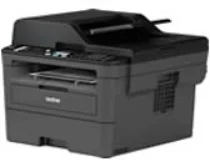
Model and software map
Device roleMonochrome print, copy and scan
Recorded choiceFull packages and separate printer/scanner components
Important distinctionThe page does not record a fax package for this model
Preserved inventory6 entries: 2 Windows, 4 macOS; 3 setup/full-package, 2 print, 1 scan.
01 Download the Premium MFC-L2690DW driver
Two ways to download
Official Brother download ↗
Download a package directly from the list below, or get the newest version from Brother's official support site. The official link opens the Premium MFC-L2690DW page; select your operating system there.
Match the task. The full package is the recorded all-in-one route for a first Windows setup. The separate printer/scanner entry is for component-level repair; the macOS list separates the print driver from the full software package.
Download a package
Pick the full package for a first-time setup, or only the printer or scanner driver if the printer is already connected. Each Download button creates a one-time link to the file.
Printing + scanning
Printer Driver Scanner Driver for Windows.EXE
Brother lists a printer-and-scanner USB driver separately from printer-only software. This archive label names both functions, so it appears in both task filters. The stored version, release date and USB contents remain unverified; use the manufacturer detail to check requirements. Manufacturer package description
Printing
Printer Driver for Mac 10.15.dmg
First-time setup
Full Software Package for Mac 10.15.dmg
First-time setup
Full Software Package for Mac 10.10 to 10.14.dmg
Printing
Printer Driver for Mac 10.10 to 10.14.dmg
02 Install and verify
Step 1
Choose a full package for an initial Windows setup, or the named print/scan component when repairing one function.
Step 2
Complete the USB or network path shown by Brother for the connection you actually use.
Step 3
Print a test page, then open the scan application and make a preview as a separate check.
Your success check
Confirm both printing and scanning if you installed the full package; success in only one function is a partial setup.
03 Sources and review scope
Official model/support material and this page’s preserved file inventory were reviewed on 2026-09-20. No package was executed and no printer was hardware-tested. Historical filenames do not prove current OS compatibility.
Current manufacturer guidance for Brother MFC-L2690DW
Brother’s US MFC-L2690DW downloads offer operating-system selection and distinguish the full driver/software package, printer-and-scanner USB software, printer-only software and firmware update tools.
Choose the appropriate setup route
Choose the system first, then the package purpose. A printer-only choice does not by itself provide scanning, while a firmware updater serves a different function from the driver installation.
Source check: 4 October 2026. Scope: Brother US downloads. Manufacturer documentation and package-purpose guidance checked.