
First-time setup
Epson / Drivers & setup
Epson WorkForce M100 Driver
The Epson WorkForce M100 is a monochrome, print-only model. This distinction matters because scanner software would be the wrong choice even if a nearby Epson model name is multifunction.
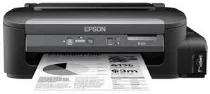
Model and software map
Device roleMonochrome printing only
Recorded choicesCombo package or printer-only package
No scan pathNo scanner hardware or scanner package belongs to this model
Preserved inventory6 entries: 3 Windows, 3 macOS; 3 setup/full-package, 3 print.
01 Download the WorkForce M100 driver
Two ways to download
Official Epson download ↗
Download a package directly from the list below, or get the newest version from Epson's official support site. The official link opens the WorkForce M100 page; select your operating system there.
Use the combo for guided setup or the printer package for printing only. Match 32-bit or 64-bit Windows where the record distinguishes them; do not look for a scan component.
Download a package
Pick the full package for a first-time setup, or only the printer or scanner driver if the printer is already connected. Each Download button creates a one-time link to the file.
Printing
Printer Driver for Windows 10 8.1 8 7 vista xp 32 bit.exe
Printing
Printer Driver for Windows 11 10 8.1 8 7 vista xp 64 bit.exe
First-time setup
Drivers and Utilities Combo Package for mac OS X 10.15 to 12.dmg
First-time setup
Drivers and Utilities Combo Package for mac OS X 10.7 to 10.14.dmg
Printing
Printer Driver for mac OS X 10.6 to 12.dmg
02 Install and verify
Step 1
Confirm M100 on the device label and select the current OS on Epson’s page.
Step 2
Choose the combo package for the broader setup route or the printer driver for an existing connection.
Step 3
Print a system test page and confirm the selected queue names the M100.
Your success check
The final check is a printed test page; there is no scan test for this print-only model.
03 Sources and review scope
Official model/support material and this page’s preserved file inventory were reviewed on 2026-09-20. No package was executed and no printer was hardware-tested. Historical filenames do not prove current OS compatibility.
Current manufacturer guidance for Epson WorkForce M100
The Epson Caribbean support entry identifies WorkForce M100 under single-function inkjet printers and uses product code C11CC84302. Its software list depends on the manually selected operating system.
Choose the appropriate setup route
Check this regional M100 entry and select the actual system. Do not choose a scanner package solely because other Epson M-series products include scanning, or assume that a replacement model has identical software.
Source check: 4 October 2026. Scope: Epson Caribbean support, C11CC84302. Manufacturer documentation and package-purpose guidance checked.