
Optional tool
Canon / Drivers & setup
Canon PIXMA TS5352a driver
The Canon PIXMA TS5352a is a print, scan and copy model. The preserved list includes core Windows setup, security patches, a macOS setup package, and separate Linux print and scan packages.
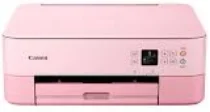
Model and software map
Device rolePrint, scan and copy
Linux choicePrinter and ScanGear packages are separate
Patch warningA security patch does not install the base printer or scanner driver
Preserved inventory11 entries: 4 Windows, 1 macOS, 6 Linux; 3 setup/full-package, 3 print, 3 scan, 2 utility/other.
01 Download the PIXMA TS5352a driver
Two ways to download
Official Canon download ↗
Download a package directly from the list below, or get the newest version from Canon's official support site. The official link opens the PIXMA TS5352a page; select your operating system there.
Start with the base package, not a patch. Windows users need MP Drivers or the setup package before a listed security patch is useful. Linux users must distinguish the IJ printer package from ScanGear MP.
Download a package
Pick the full package for a first-time setup, or only the printer or scanner driver if the printer is already connected. Each Download button creates a one-time link to the file.
First-time setup
Driver setup package for Windows 7 8.1 10 and 11.exe
Optional tool
Printers and Multifunction Printers security patch for Windows 11 10 and 8.1.exe
Optional tool
Printers and Multifunction Printers security patch for Windows 7.exe
First-time setup
Setup package for Mac OS X 11, 12 and 10.11 to 10.15.dmg
Printing
IJ Printer Driver for Linux – debian Packagearchive
Printing
IJ Printer Driver for Linux – rpm Packagearchive
Printing
IJ Printer Driver for Linux – Source file
Optional tool
ScanGear MP for Linux – debian Packagearchive
Optional tool
ScanGear MP for Linux – rpm Packagearchive
Optional tool
ScanGear MP for Linux – Source file
02 Install and verify
Step 1
Use Canon’s TS5352a selector to confirm current OS availability.
Step 2
Install the base setup/driver for the function needed; apply a security patch only to an applicable installed component.
Step 3
Print a page and scan a preview as separate checks.
Your success check
A patch completing successfully does not prove that the base print and scan components are installed.
03 Sources and review scope
Official model/support material and this page’s preserved file inventory were reviewed on 2026-09-20. No package was executed and no printer was hardware-tested. Historical filenames do not prove current OS compatibility.
Current manufacturer guidance for Canon PIXMA TS5352a
Canon’s TS5300 series online manual explicitly includes TS5352a in its model list. The manual separates printing, copying, scanning and network instructions.
Choose the appropriate setup route
Use the TS5352a entry within the documented TS5300 family and follow the section for the task you need. A family manual is not a blanket approval of every stored installer for every operating system.
Source check: 4 October 2026. Scope: Canon English TS5300 series manual. Manufacturer documentation and package-purpose guidance checked.