
First-time setup
Epson / Drivers & setup
Epson Artisan 700 Driver
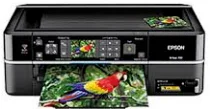
The Epson Artisan 700 is an older print, scan and copy model with USB, Wi-Fi and Ethernet networking. Its 34 preserved records repeat complete and component packages across older OS versions.
Model and software map
Device rolePrint, scan and copy
Connection pathsUSB, Wi-Fi and wired Ethernet
List distinctionFirst-network setup, additional-computer setup and component drivers are different tasks
Preserved inventory34 entries: 26 Windows, 8 macOS; 20 setup/full-package, 8 print, 5 scan, 1 utility/other.
01 Download the Artisan 700 driver
Two ways to download
Official Epson download ↗
Download a package directly from the list below, or get the newest version from Epson's official support site. The official link opens the Artisan 700 page; select your operating system there.
Choose the network stage as well as the OS. “First Time Install” configures the initial network path; “Additional Computers” is for another computer after the printer is already on the network. Component drivers repair print or scan separately.
Download a package
Pick the full package for a first-time setup, or only the printer or scanner driver if the printer is already connected. Each Download button creates a one-time link to the file.
First-time setup
Drivers and Utilities Combo Package For Win 7 64 bit.exe
First-time setup
Drivers and Utilities Combo Package For Win 8 8.1 10 32 bit.exe
First-time setup
Drivers and Utilities Combo Package For Win 8 8.1 10 64 bit and 11.exe
First-time setup
Drivers and Utilities Combo Package For Win vista xp 32 bit.exe
First-time setup
Drivers and Utilities Combo Package For Win vista xp 64 bit.exe
First-time setup
Drivers and Utilities Combo Package Network For Additional Computers For Win 7 32 bit.exe
First-time setup
Drivers and Utilities Combo Package Network For Additional Computers For Win 7 64 bit.exe
First-time setup
Drivers and Utilities Combo Package Network For Additional Computers For Win 8 8.1 10 32 bit.exe
First-time setup
Drivers and Utilities Combo Package Network For Additional Computers For Win 8 8.1 10 64 bit and 11.exe
First-time setup
Drivers and Utilities Combo Package Network For Additional Computers For Win vista xp 32 bit.exe
First-time setup
Drivers and Utilities Combo Package Network For Additional Computers For Win vista xp 64 bit.exe
First-time setup
Drivers and Utilities Combo Package Network For First Time Install For Win 7 32 bit.exe
First-time setup
Drivers and Utilities Combo Package Network For First Time Install For Win 7 64 bit.exe
First-time setup
Drivers and Utilities Combo Package Network For First Time Install For Win 8 8.1 10 32 bit.exe
First-time setup
Drivers and Utilities Combo Package Network For First Time Install For Win 8 8.1 10 64 bit and 11.exe
First-time setup
Drivers and Utilities Combo Package Network For First Time Install For Win vista xp 32 bit.exe
First-time setup
Drivers and Utilities Combo Package Network For First Time Install For Win vista xp 64 bit.exe
Printing
Printer Driver for Windows 8 8.1 10 32 bit.exe
Printing
Printer Driver for Windows 8 8.1 10 64 bit and 11.exe
Printing
Printer Driver for Windows 7 32 bit.exe
Printing
Printer Driver for Windows 7 64 bit.exe
Printing
Printer Driver for Windows XP and Vista 32 bit.exe
Printing
Printer Driver for Windows XP and Vista 64 bit.exe
Scanning
Scanner Driver and EPSON Scan Utility for Windows 7 8 8.1 10 and 11.exe
Scanning
Scanner Driver and EPSON Scan Utility for Windows XP and Vista.exe
Printing
Printer Driver For Mac OS X 10.14 to 12.dmg
Printing
Printer Driver For Mac OS X 10.5 and 10.6.dmg
Scanning
ICA Scanner Driver for Image Capture utility For Mac OS X 10.5 to 12.dmg
Scanning
ICA Scanner Driver For Mac 10.6 to 10.14.dmg
Scanning
Scanner Driver and EPSON Scan Utility For Mac 10.5 to 10.14.dmg
First-time setup
Drivers and Utilities Combo Package for Mac OS X 10.5.dmg
First-time setup
Drivers and Utilities Combo Package – Network for Mac OS X 10.5.dmg
Optional tool
Common Updater for Mac OS X 10.5 and 10.6.dmg
02 Install and verify
Step 1
Use Epson’s Artisan 700 support page to check current availability.
Step 2
Choose first-time network setup, additional-computer setup or a single component according to the existing network state.
Step 3
Print and scan from the intended computer after setup.
Your success check
An additional-computer package assumes the printer is already reachable on the network.
03 Sources and review scope
Official model/support material and this page’s preserved file inventory were reviewed on 2026-09-20. No package was executed and no printer was hardware-tested. Historical filenames do not prove current OS compatibility.