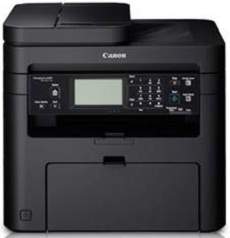
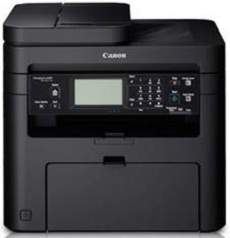
The Canon ImageCLASS MF237w printer model employs a monochrome laser-beam printing technology, ensuring superior quality printing at an impressive speed. With a printing rate of up to 23 pages per minute (ppm) when working on A4 paper, this printer is an efficient choice for any office. Under normal circumstances, the print quality resolution is 600 x 600 dots per inch (dpi). However, the resolution can be enhanced to a remarkable 1200 x 1200 dpi by utilizing an image refinement technology. This enables the printer to produce crisp, clear and professional-looking documents.
Supported Toner Catridge
Catridge 337 Toner Black : Yield Upto 2,400 Pages based on ISO/IEC Standard
Canon imageCLASS MF237w Printer Driver Downloads
Driver for Windows
Filename
Size
Download
MFDrivers for Windows Vista 7 8 8.1 and 10 32 bit.exe (Recommended)
Download Canon imageCLASS MF237w driver from Canon website
Specifications
The Canon imageCLASS MF237w printer boasts a speedy warm-up time of less than 13.5 seconds from power ON mode. The initial printing process can begin in just 6.0 seconds, and the printer can recover from sleep mode in less than 2.0 seconds. It supports the UFR II LT print language and other compatible types specific to the Canon machine. Be aware that the print margins for the top, bottom, right, and left sides are limited to 5 mm each.
With regards to the copy specifications, this device boasts a printing rate of 23 ppm and a resolution of 600 x 600 dpi. Similarly, the initial copy page can be produced in 9.0 seconds or less. It has the ability to generate up to 999 copies from a single document and can reduce output to 25% or enlarge to 400% of the original size. Additionally, it includes critical copy functions such as memory sort, two on 1, 4 on 1, and ID card copy.
The scanning mechanism of this device employs a contact image sensor (CIS), which boasts an optical resolution of 600×600 dots per inch (dpi). In driver-enhanced mode, scanning quality can reach an impressive resolution of 9600 x 9600 dpi. To scan documents to your PC, simply connect the device to a viable network via USB and utilize the MF Scan utility.
Ad
Canon imageCLASS MF237w Driver
Ad
The Canon ImageCLASS MF237w printer boasts an impressive monochrome laser-beam printing technology that delivers top-notch quality prints at unparalleled speeds. With a printing rate of up to 23 pages per minute (ppm) when working on an A4 paper, this printer is in a league of its own.
Under normal circumstances, the print quality resolution is 600 x 600 dots per inch (dpi). However, by harnessing the power of image refinement technology, this resolution can be enhanced to reach an astounding 1200 x 1200 dpi.
Experience the ultimate printing performance with the Canon ImageCLASS MF237w printer model.
Supported Toner Catridge
Catridge 337 Toner Black : Yield Upto 2,400 Pages based on ISO/IEC Standard
Canon imageCLASS MF237w Printer Driver Downloads
Driver for Windows
Filename
Size
Download
MFDrivers for Windows Vista 7 8 8.1 and 10 32 bit.exe (Recommended)
Download Canon imageCLASS MF237w driver from Canon website
Specifications
In addition, the Canon imageCLASS MF237w printer boasts a quick warm-up time of less than 13.5 seconds from power ON mode. Impressively, the first printout time is merely 6.0 seconds. Even better, the recovery time from sleep mode can be achieved in less than 2.0 seconds. This printer supports UFR II LT print language, as well as other compatible types for optimal performance. However, it is important to note that the print margins for the top, bottom, right, and left sides are restricted to a mere 5 mm on each side.
When it comes to copy specifications, this device boasts a printing rate of 23 pages per minute, with a resolution of 600 x 600 dpi. Additionally, the first copy page can be produced in 9.0 seconds or less. The device is capable of producing up to 999 copies from a single document, and offers the ability to reduce output to 25% or enlarge up to 400% of the original material size. Other essential copy features include memory sort, two on 1, 4 on 1, and ID card copy.
The scanning method utilized in this device involves a contact image sensor (CIS) boasting an optical resolution of up to 600×600 dots per inch (dpi). However, when the machine is in driver-enhanced mode, the quality of the scanned image can be elevated to an impressive 9600 x 9600 dpi. To facilitate a seamless scanning experience, the machine is equipped with an MF Scan utility that enables scanning to a PC. This utility can be accessed by connecting the device to the PC via USB, which can be done through a viable network.