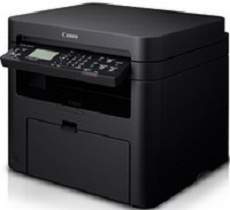
The Canon ImageCLASS MF241d model is a top-tier personal printer boasting remarkable features that guarantee superior print quality with every use. This printer operates on a power supply range of 220 to 240 volts at 50/60 Hz, though the exact power specifications may vary depending on the country of use.
In terms of power consumption, the optimal level hovers around 1150 watts, but this can fluctuate depending on the printer mode selected at any given time. With its cutting-edge technology and impressive power efficiency, the Canon ImageCLASS MF241d is an exceptional value for anyone seeking the best possible printing experience.
Toner Catridge Details
Catridge 337 Toner : Approx. Yield 2,400 Pages based on ISO/IEC Standard
Canon imageCLASS MF241d Printer Driver Downloads
Driver for Windows
Filename
Size
Download
MFDrivers for Windows Vista 7 8 8.1 and 10 32 bit.exe (Recommended)
Download Canon imageCLASS MF241d driver from Canon website
Specifications
When in sleep mode, the Canon imageCLASS MF241d printer consumes approximately 1.3 watts of power. However, when the printer is turned off, it still consumes power for up to 12 seconds. It has a weight of 11.4 kg, a width of 390 mm, and a height of 312 mm. The depth of the printer is 371 mm when all its components are in place.
To ensure optimal performance of the printer, certain factors need to be taken into consideration. One of such factors is the temperature range, which should be between 10 and 300C. By maintaining the right temperature range, you can ensure that the printer functions at its best.
On the flip side, it is essential for the environment’s relative humidity to maintain a range of 20-80% without any condensation. The host interface options comprise 100 Base-TX, 100Base-T, hi-speed USB 2.0 port, and IEEE 802.11b/g/n infrastructure mode. As for the print paper specifications, the output tray can handle up to 100 sheets of printed papers, while this model also allows for a stack of paper with an average weight of 68 gsm.
The printer boasts a first-time print time of under 6 seconds, making it a speedy choice for busy offices. Its print resolution is a respectable 600 x 600 dots per inch (dpi), but the real standout feature is its capability to reach an optimum print quality resolution of up to 1200 x 1200 dpi with 256 levels of color depth.
In addition, this machine is compatible with a range of standard paper sizes, including A4, B5, A5, legal, letter, statement, executive, officio, and foolscap. With such versatility, it’s easy to see why this printer is a popular choice for businesses of all sizes.
Ad
Canon imageCLASS MF241d Driver
Ad
The Canon ImageCLASS MF241d is a top-notch personal printer that boasts an impressive range of features, guaranteeing high-quality printing results every time. Operating on a power supply of 220 to 240 volts at 50/60 Hz, the power specification may vary depending on the country of use. Optimal power consumption for the printer is around 1150 watts, though the specific usage will depend on the printer’s mode at any given time. With its advanced capabilities and efficient design, the Canon ImageCLASS MF241d is the ideal choice for anyone seeking a reliable and high-performing personal printer.
Toner Catridge Details
Catridge 337 Toner : Approx. Yield 2,400 Pages based on ISO/IEC Standard
Canon imageCLASS MF241d Printer Driver Downloads
Driver for Windows
Filename
Size
Download
MFDrivers for Windows Vista 7 8 8.1 and 10 32 bit.exe (Recommended)
Download Canon imageCLASS MF241d driver from Canon website
Specifications
When in sleep mode, the Canon imageCLASS MF241d printer consumes around 1.3 watts of power. However, when it is completely turned off, the power consumption lasts for 12 seconds. This printer has a weight of 11.4 kg, a width of 390 mm, and a height of 312 mm. Its depth is 371 mm when all its components are in place. To ensure optimal performance, certain factors must be in place, such as a temperature range of 10 to 300C. For more information and drivers for the Canon imageCLASS MF241d printer, please visit Canon.
When it comes to creating an optimal environment for your device, it’s important to keep the relative humidity between 20 and 80%, without any condensation. As for host interface options, you’ll have access to 100 Base-TX, 100Base-T, a hi-speed USB 2.0 port, and IEEE 802.11b/g/n infrastructure mode. When it comes to paper specifications, the output tray can hold up to 100 sheets of printed paper, and this model can handle a stack with an average weight of 68 gsm.
Firstly, the initial print time for this device is less than 6 seconds, making it incredibly efficient. When it comes to print resolution, it boasts 600 x 600 dots per inch (dpi). But for the highest quality prints, the optimum resolution is 1200 x 1200 dpi with 256 levels of color depth. This ensures that each print is crisp and clear. Additionally, this machine is compatible with a range of standard paper sizes including A4, B5, A5, legal, letter, statement, executive, officio, and foolscap. This versatility makes it a great choice for any office or workspace.