
Optional tool
Canon / Drivers & setup
Canon PIXMA TR8620a driver
Get the Canon software for the PIXMA TR8620a from Canon's official support site, see which package to pick for Windows and macOS and Linux, and finish with a test print.
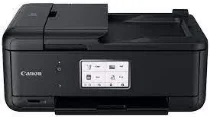
PIXMA TR8620a software at a glance
Software packages22
SystemsWindows 10 · macOS 6 · Linux 6
Package typesOptional tool 16 · First-time setup 2 · Scanning 1 · Printing 3
Choose a download for Canon PIXMA TR8620a
Match TR8620a including the final a. The archive includes MP Driver and separate utilities. A photo editor is not a substitute for the package required for printing or scanning; compare the official component description.
Archive inventory and compatibility
This page contains 22 archived entries: 10 windows, 6 mac, 6 linux. These counts describe stored records, not verified current OS support. Compare the version and architecture in the filename with the official package description.
Choose your download route
Download opens our collected copy through the Wasabi gateway. Official site opens the manufacturer's model support page, where you can select an OS and review package notes. An archived copy is not claimed to be the latest release.
Canon US: Canon PIXMA TR8620a official support
Install and check the result
- Confirm the model label, operating-system version and architecture.
- Read the selected package instructions before connecting USB or configuring the network. Install optional tools only when you need their function.
- Print a test page. If scanning is required, test it separately and consult the official scan-component instructions if it fails.
Review scope: archive labels and official model pages checked on October 18, 2026. No driver installation, hardware test or security certification was performed.
01 Download the PIXMA TR8620a driver
Two ways to download
Official Canon download ↗
Download a package directly from the list below, or get the newest version from Canon's official support site. The official link opens the PIXMA TR8620a page; select your operating system there.
Download a package
Pick the full package for a first-time setup, or only the printer or scanner driver if the printer is already connected. Each Download button creates a one-time link to the file.
First-time setup
Driver setup package for Windows 7 8.1 10 and 11.exe
Optional tool
Easy Layout Editor for Windows 7 8.1 10 and 11.exe
Optional tool
Easy PhotoPrint Editor for Windows 7 8.1 10 and 11.exe
Optional tool
IJ Printer Assistant Tool for Windows 7 8.1 10 and 11.exe
Optional tool
PosterArtist Lite for Windows 7 8.1 10 and 11.exe
Optional tool
PosterArtist Updater for Windows 7 8.1 10 and 11.exe
Optional tool
Printers and Multifunction Printers security patch for Windows 7 8.1 10 and 11.exe
Optional tool
Speed Dial Utility for Windows.exe
Optional tool
Wi Fi Connection Assistant for Windows 7 8 8.1 10 and 11.exe
Scanning
IJ Scan Utility Lite for MAC OS X 13 12 11 and 10.10 to 10.15.dmg
Optional tool
Easy-PhotoPrint Editor for MAC OS X 13 12 11 and 10.13 to 10.15.dmg
First-time setup
Setup package for MAC OS X 10.12 to 10.15.dmg
Optional tool
Wi-Fi Connection Assistant for MAC OS X 13 12 11 and 10.10 to 10.15.dmg
Optional tool
Inkjet Smart Connect for MAC OS X 13 12 11 10.14 and 10.15.dmg
Optional tool
Speed Dial Utility for MAC OS X.dmg
Printing
IJ Printer Driver for Linux – debian Packagearchive
Printing
IJ Printer Driver for Linux – rpm Packagearchive
Printing
IJ Printer Driver for Linux – Source file
Optional tool
ScanGear MP for Linux – debian Packagearchive
Optional tool
ScanGear MP for Linux – rpm Packagearchive
Optional tool
ScanGear MP for Linux – Source file
02 Install and test the PIXMA TR8620a
Check the exact model name
Read the full model name on the printer label. It should match PIXMA TR8620a exactly; printers with similar names can need different software.
Download the package for your system
On Canon's support site, choose your operating system version. Pick the full software package for a first-time setup, or just the printer driver if the printer already works with another computer.
Run the installer and connect the printer
Check the connection methods supported by your exact printer in the manufacturer documentation. Follow the installer prompts for that connection; if using USB, connect the cable when prompted.
Check that it worked
Print a test page from your system printer settings. To check scanning, open the scanner software and run a preview scan; printing and scanning are installed separately.
03 Troubleshooting
The installer cannot find the printer
Check the connection supported by your model. For USB, try another port and cable. If the printer supports a network connection, check its network connection and confirm the computer is on the same network, then run the installer again.
The printer is installed but shows as offline
Turn the printer off and on, check its supported connection, then remove and re-add it in your system printer settings. For a network-connected model, check whether the printer address has changed.
My operating system is not in the list
Check Canon's support site for your exact system version. Newer versions of Windows and macOS often include a built-in driver for older printers, so try adding the printer in system settings first.
Printing works but scanning does not
Scanning needs its own scanner driver or scan app. Install the scanner package for your system, then select this printer inside the scan software.
04 Sources
Package downloads come from PrinterDriversHub's driver archive; the official links go to Canon's website. PrinterDriversHub is independent and not affiliated with Canon.