
Printing
Epson / Drivers & setup
Epson L3250 Driver
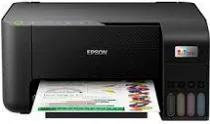
The L3250 is an all-in-one printer. Printing and scanning use separate software components, so a working print queue does not prove that scanning is configured.
L3250 software at a glance
Software packages5
SystemsWindows 3 · macOS 2
Package typesPrinting 3 · Scanning 2
32/64-bit versionsx86 1 · x64 1
01 Download the L3250 driver
Two ways to download
Official Epson download ↗
Download a package directly from the list below, or get the newest version from Epson's official support site. The official link opens the L3250 page; select your operating system there.
Choose by task. Use the printer driver when you only need printing. Use the scanner component when scanning is missing. The file names and sizes below are preserved from the original page; check Epson's operating-system selector before using an older record on a newer system.
Download a package
Pick the full package for a first-time setup, or only the printer or scanner driver if the printer is already connected. Each Download button creates a one-time link to the file.
Printing
Printer Driver for Windows 64 bit.exe
Scanning
Scanner Driver for Windows.exe
Printing
Printer Driver for mac OS.dmg
Scanning
Scanner Driver for mac OS.dmg
02 Install and test the L3250
Confirm the exact model and system
Check the L3250 label and your computer's operating system. The choices below do not auto-detect your system.
Run the matching Epson path
For first setup, follow Epson Setup Navi. For an existing printer, install only the component needed for printing or scanning.
Choose USB or Wi-Fi when prompted
For Wi-Fi, keep the computer and printer on the same local network. For USB, connect the cable when the installer asks.
Check that it worked
Print a system test page. If you need scanning, also open the scanner software and make a preview; these are two separate checks.
03 Troubleshooting
Printing works but scanning does not. What should I check?
Confirm that the scanner component is installed and that it is pointed at this L3250. Check USB or network discovery separately from the print queue.
Is the L3250 a thermal inkjet printer?
Epson describes the model as using PrecisionCore and Heat-Free Technology. The old page's thermal-inkjet wording is not used in this rebuilt view.
04 Sources
Package downloads come from PrinterDriversHub's driver archive; the official links go to Epson's website. PrinterDriversHub is independent and not affiliated with Epson.
Current manufacturer guidance for Epson L3250
The Epson India support entry identifies L3250 as C11CJ67508 and offers a manual operating-system selector. The India product page identifies this model as a Wi-Fi all-in-one, with separate printing and scanning tasks.
Choose the appropriate setup route
Confirm the region and select your computer’s actual operating system. If you need scanning as well as printing, check the scanner component independently rather than assuming a printer driver supplies both.
Source check: 4 October 2026. Scope: Epson India support, product C11CJ67508. Manufacturer documentation and package-purpose guidance checked.