
Printing
Epson / Drivers & setup
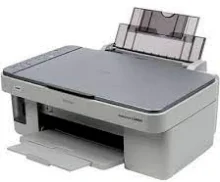
Epson Stylus CX3600 Driver
The Epson Stylus CX3600 is an older print, scan and copy model. Its preserved list separates printing, Epson scan software, an older Mac scan patch and an ICA image-capture driver.
Model and software map
Device rolePrint, scan and copy
Recorded splitPrinter and scanner components are separate
Mac distinctionEpson lists ICA support for this legacy model
Preserved inventory7 entries: 3 Windows, 4 macOS; 3 print, 3 scan, 1 utility/other.
01 Download the Stylus CX3600 driver
Two ways to download
Official Epson download ↗
Download a package directly from the list below, or get the newest version from Epson's official support site. The official link opens the Stylus CX3600 page; select your operating system there.
Pick the scan path deliberately. A printer driver enables printing; the scanner entry or ICA path handles image capture. The old scan patch is not a complete print-and-scan installer.
Download a package
Pick the full package for a first-time setup, or only the printer or scanner driver if the printer is already connected. Each Download button creates a one-time link to the file.
Printing
Printer Driver for Windows 64 bit.zip
Scanning
Scanner Driver for Windows.exe
Printing
Printer Driver for mac OS.dmg
Scanning
Scanner Driver for mac OS.dmg
Scanning
Scan Patch for mac 10.11.dmg
Optional tool
ICA Driver for mac OS.dmg
02 Install and verify
Step 1
Check the exact CX3600 label and the age of the operating system before using an old record.
Step 2
Install the print component and one appropriate scan path rather than treating the patch as a full package.
Step 3
Print a page and make a scan preview in the selected image-capture application.
Your success check
If printing works but scanning does not, troubleshoot the scan component rather than reinstalling only the printer driver.
03 Sources and review scope
Official model/support material and this page’s preserved file inventory were reviewed on 2026-09-20. No package was executed and no printer was hardware-tested. Historical filenames do not prove current OS compatibility.