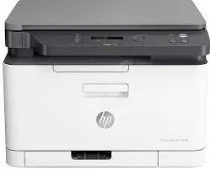
HP Color Laser MFP 178nw Driver Download
- 5 drivers
- Supports Windows 11
- Windows · macOS · Linux
- ✓ Safe & free
HP Color Laser MFP 178nw is a multifunctional device that offers printing, copying, and scanning capabilities. This color printer is equipped with an inbuilt driver that enables manual duplex printing with optimal speed and print quality. The HP Color Laser MFP 178nw package includes several items, such as: - Power cord - USB cable - Setup guide - Starter toner cartridges - Regulatory flyer With its compact design and efficient functionality, the HP Color Laser MFP 178nw is an ideal choice for small businesses and home offices. Its intuitive control panel and user-friendly interface make it easy to navigate and operate. Moreover, this printer is equipped with advanced security features that ensure the protection of confidential information. It also boasts wireless connectivity options, allowing users to print from their smartphones and tablets effortlessly. Overall, the HP Color Laser MFP 178nw is a reliable and versatile color printer that delivers exceptional performance at an affordable price. Get yours today and experience the convenience and efficiency of a multifunctional device.The HP LaserJet Black/Cyan/Magenta/Yellow Introductory Toner Cartridge, power cord, USB cable, setup guide, reference guide, and regulatory statements flyer are all included in this package. These accessories are essential for setting up and using your new printer. The introductory toner cartridge contains specially formulated toner that produces high-quality prints. The power cord and USB cable provide the necessary power and connectivity for your printer. The setup guide and reference guide offer step-by-step instructions for installation and usage. The regulatory statements flyer contains important information about compliance and safety regulations. With these accessories, you can get started on your printing needs with ease and confidence.
HP Color Laser MFP 178nw Driver Downloads
| Driver | Operating System | Version | Size | Download |
|---|---|---|---|---|
| Full Feature Driver Recommended | Windows 11Windows 10Windows 8.1Windows 8Windows 7 | — | 87 MB | Download |
| Print and Scan | Windows 11Windows 10Windows 8.1Windows 8Windows 7 | — | 31.1 MB | Download |
| Print Driver No Installer | Windows 11Windows 10Windows 8.1Windows 8Windows 7 | — | 11.1 MB | Download |
| Critical Software Update | Windows 10Windows 8.1Windows 8Windows 7 | — | 184 KB | Download |
| Print and Scan | Linux | — | 11 MB | Download |
How to Install the HP Color Laser MFP 178nw Driver
- Click the recommended driver package above and save the file to your PC.
- Open the downloaded file and follow the on-screen HP installer.
- Connect the Color Laser MFP 178nw by USB or network when prompted.
- Finish and print a test page to confirm the driver works.