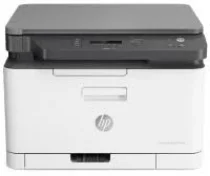
HP Color Laser MFP 178nwg Driver Download
- 5 drivers
- Supports Windows 11
- Windows · macOS · Linux
- ✓ Safe & free
The HP Color Laser MFP 178nwg model is a member of the HP Color Laser MFP 170 printer series, a versatile range of multifunctional printers. With its exceptional printing, copying, and scanning capabilities, this machine delivers top-notch quality and speed. One of the standout features of the HP Color Laser MFP 178nwg is its ability to perform manual duplexing, which is made possible by its inbuilt driver. This feature is supported on major operating system versions, making it incredibly convenient for users. In terms of connectivity, the HP Color Laser MFP 178nwg is equipped with a hi-speed USB 2.0 port, fast Ethernet 10/100base-Tx network port, and a wireless 802.11 b/g/n network. These standard protocols ensure that users can easily connect to the device and enjoy seamless performance. With its impressive features and connectivity options, the HP Color Laser MFP 178nwg is an ideal choice for businesses and individuals who demand high-quality printing, scanning, and copying solutions.
HP Color Laser MFP 178nwg Driver Downloads
| Driver | Operating System | Version | Size | Download |
|---|---|---|---|---|
| Full Feature Driver Recommended | Windows 11Windows 10Windows 8.1Windows 8Windows 7 | — | 87 MB | Download |
| Print and Scan | Windows 11Windows 10Windows 8.1Windows 8Windows 7 | — | 31.1 MB | Download |
| Print Driver No Installer | Windows 11Windows 10Windows 8.1Windows 8Windows 7 | — | 11.1 MB | Download |
| Critical Software Update | Windows 10Windows 8.1Windows 8Windows 7 | — | 184 KB | Download |
| Print and Scan | Linux | — | 11 MB | Download |
How to Install the HP Color Laser MFP 178nwg Driver
- Click the recommended driver package above and save the file to your PC.
- Open the downloaded file and follow the on-screen HP installer.
- Connect the Color Laser MFP 178nwg by USB or network when prompted.
- Finish and print a test page to confirm the driver works.