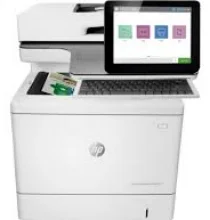
HP Color LaserJet Enterprise Flow MFP M578z Driver Download
- 12 drivers
- Supports Windows 11
- Windows · macOS · Linux
- ✓ Safe & free
The HP Color LaserJet Enterprise Flow MFP M578z driver printer model boasts a multitude of functions, including printing, scanning, copying, and faxing. With exceptional quality and speed, this device can print black and color documents at a rate of 38 pages per minute (ppm) in normal mode, according to standard measurements. The first page prints quickly too, taking only 7.0 seconds for black and 10.7 seconds for color in ready mode. This powerhouse of a printer can churn out up to 80,000 pages in a single month, making it an ideal choice for high-volume printing needs. The HP Color LaserJet Enterprise Flow MFP M578z driver supports both 32 and 64-bit Windows operating systems, ensuring compatibility with a wide range of devices. Experience the ease and efficiency of a multifunctional printer that delivers quality results at lightning-fast speeds. The HP Color LaserJet Enterprise Flow MFP M578z driver printer model is the ultimate choice for your printing needs.HP C.
HP Color LaserJet Enterprise Flow MFP M578z Driver Downloads
| Driver | Operating System | Version | Size | Download |
|---|---|---|---|---|
| PCL6 Universal Print Recommended | Windows 11Windows 10Windows 8.1Windows 8Windows 7 | — | 18.3 MB | Download |
| PCL6 Universal Print | Windows 11Windows 10Windows 8.1Windows 8Windows 7 | — | 20.7 MB | Download |
| PostScript Universal Print | Windows 11Windows 10Windows 8.1Windows 8Windows 7 | — | 19.5 MB | Download |
| PostScript Universal Print | Windows 11Windows 10Windows 8.1Windows 8Windows 7 | — | 21.8 MB | Download |
| USB connected PCL6 Universal Print | Windows 11Windows 10Windows 8.1Windows 8Windows 7 | — | 18.4 MB | Download |
| USB connected PCL6 Universal Print | Windows 11Windows 10Windows 8.1Windows 8Windows 7 | — | 20.7 MB | Download |
| USB connected PostScript Universal Print | Windows 11Windows 10Windows 8.1Windows 8Windows 7 | — | 19.6 MB | Download |
| USB connected PostScript Universal Print | Windows 11Windows 10Windows 8.1Windows 8Windows 7 | — | 21.9 MB | Download |
| Universal Scan Full Feature Driver | Windows 11Windows 10Windows 8.1Windows 7 | — | 349.8 MB | Download |
| Universal Scan Basic Feature Driver | Windows 10Windows 8.1Windows 7 | — | 84.1 MB | Download |
| Universal Scan Basic Feature Driver | Windows 11Windows 10Windows 8.1Windows 7 | — | 104.8 MB | Download |
| Easy Start | macOS | — | 9.1 MB | Download |
How to Install the HP Color LaserJet Enterprise Flow MFP M578z Driver
- Click the recommended driver package above and save the file to your PC.
- Open the downloaded file and follow the on-screen HP installer.
- Connect the Color LaserJet Enterprise Flow MFP M578z by USB or network when prompted.
- Finish and print a test page to confirm the driver works.