HP Color LaserJet Enterprise Flow MFP M776z Driver Download
- 18 drivers
- Supports Windows 11
- Windows · macOS · Linux
- ✓ Safe & free
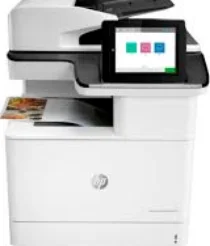
The HP Color LaserJet Enterprise Flow MFP M776z is a standout option within the HP Laserjet enterprise family series and is part of the M776 series of multifunctional printers. This printer is capable of printing, copying, scanning, and faxing documents. Its standard print mode is capable of producing documents at a rapid pace of 45 pages per minute (ppm) using the ISO/IEC 24734 standard, with the exception of the first test documents. This rate is applicable to both color and black/white papers, making it a versatile choice for any printing needs. In addition to its impressive speed and functionality, the HP Color LaserJet Enterprise Flow MFP M776z also offers driver support for both win and mac OS. This ensures that users can easily integrate the printer into their existing systems without any compatibility issues. Overall, the HP Color LaserJet Enterprise Flow MFP M776z is an exceptional choice for any business or individual in need of a reliable and efficient multifunctional printer. Its advanced features and capabilities make it a top contender among its competitors in the market.HP C.
HP Color LaserJet Enterprise Flow MFP M776z Driver Downloads
| Driver | Operating System | Version | Size | Download |
|---|---|---|---|---|
| Full Feature Driver Recommended | Windows 11Windows 10Windows 8.1Windows 7 | — | 77.5 MB | Download |
| PCL 6 V3 Printer Driver no installer | Windows 11Windows 10Windows 8.1Windows 7 | — | 14.6 MB | Download |
| PCL 6 V4 Printer Driver no installer | Windows 11Windows 10Windows 8.1 | — | 10.6 MB | Download |
| Universal Fax | Windows 11Windows 10Windows 8.1Windows 7 | — | 16.7 MB | Download |
| Universal Fax | Windows 11Windows 10Windows 8.1Windows 7 | — | 8.9 MB | Download |
| Network Twain Scan Package | Windows 8.1Windows 8Windows 7 | — | 14.8 MB | Download |
| PCL6 Universal Print | Windows 11Windows 10Windows 8.1Windows 8Windows 7 | — | 18.3 MB | Download |
| PCL6 Universal Print | Windows 11Windows 10Windows 8.1Windows 8Windows 7 | — | 20.7 MB | Download |
| PostScript Universal Print | Windows 11Windows 10Windows 8.1Windows 8Windows 7 | — | 19.5 MB | Download |
| PostScript Universal Print | Windows 11Windows 10Windows 8.1Windows 8Windows 7 | — | 21.8 MB | Download |
| USB connected PCL6 Universal Print | Windows 11Windows 10Windows 8.1Windows 8Windows 7 | — | 18.4 MB | Download |
| USB connected PCL6 Universal Print | Windows 11Windows 10Windows 8.1Windows 8Windows 7 | — | 20.7 MB | Download |
| USB connected PostScript Universal Print | Windows 11Windows 10Windows 8.1Windows 8Windows 7 | — | 19.6 MB | Download |
| USB connected PostScript Universal Print | Windows 11Windows 10Windows 8.1Windows 8Windows 7 | — | 21.9 MB | Download |
| Easy Start Printer Setup | Windows 11Windows 10 | — | 11.4 MB | Download |
| Easy Start Printer Setup | Windows 8.1Windows 8 | — | 11.4 MB | Download |
| Easy Start Printer Setup | Windows 7 | — | 11.4 MB | Download |
| Easy Start | macOS | — | 9.1 MB | Download |
How to Install the HP Color LaserJet Enterprise Flow MFP M776z Driver
- Click the recommended driver package above and save the file to your PC.
- Open the downloaded file and follow the on-screen HP installer.
- Connect the Color LaserJet Enterprise Flow MFP M776z by USB or network when prompted.
- Finish and print a test page to confirm the driver works.