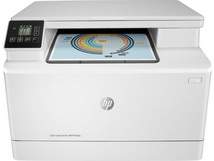
HP Color LaserJet Pro MFP M180n Driver Download
- 16 drivers
- Supports Windows 11
- Windows · macOS · Linux
- ✓ Safe & free
The HP Color LaserJet Pro MFP M180n printer utilizes high-quality laser print technology to maintain color accuracy. Additionally, the printer comes equipped with a driver that supports duplex printing on both sides of the page. The maximum print resolution is an impressive 600 x 600 dots per inch (dpi) and the printer is capable of handling a maximum print area of 216 x 356 mm. The monthly duty cycle for this printer is up to 30000 pages, thanks to its compatibility with HP PCL6 and PCL 5c print languages.HP Color LaserJet Pro MFP M180n printer Replacing CartridgesPresenting the high-quality Black LaserJet HP 204A Toner Cartridge with a yield of around 1100 pages, along with the Cyan LaserJet HP 204A Toner Cartridge, Yellow LaserJet HP 204A Toner Cartridge, and Magenta LaserJet HP 204A Toner Cartridge, each with a yield of around 900 pages. Additionally, we offer the Black LaserJet HP 205A Toner Cartridge with a yield of around 1100 pages, as well as the Cyan LaserJet HP 205A Toner Cartridge, Yellow LaserJet HP 205A Toner Cartridge, and Magenta LaserJet HP 205A Toner Cartridge, each with a yield of around 900 pages. These toner cartridges are designed to deliver high-quality prints consistently, making them a reliable choice for all your printing needs. So, choose our toner cartridges and enjoy the best printing experience with your HP LaserJet printer.
HP Color LaserJet Pro MFP M180n Driver Downloads
| Driver | Operating System | Version | Size | Download |
|---|---|---|---|---|
| Full Software Solution Recommended | Windows 11Windows 10Windows 8.1Windows 8Windows 7 | — | 242.5 MB | Download |
| Basic Software Solution | Windows 10Windows 8.1Windows 8Windows 7Windows VistaWindows XP | — | 79.3 MB | Download |
| Basic Software Solution | Windows 11Windows 10Windows 8.1Windows 8Windows 7 | — | 89.1 MB | Download |
| PCL6 Universal Print | Windows 11Windows 10Windows 8.1Windows 8Windows 7 | — | 18.3 MB | Download |
| PCL6 Universal Print | Windows 11Windows 10Windows 8.1Windows 8Windows 7 | — | 20.7 MB | Download |
| PostScript Universal Print | Windows 11Windows 10Windows 8.1Windows 8Windows 7 | — | 19.5 MB | Download |
| PostScript Universal Print | Windows 11Windows 10Windows 8.1Windows 8Windows 7 | — | 21.8 MB | Download |
| USB Connected PCL6 Universal Print | Windows 11Windows 10Windows 8.1Windows 8Windows 7 | — | 18.4 MB | Download |
| USB Connected PCL6 Universal Print | Windows 11Windows 10Windows 8.1Windows 8Windows 7 | — | 20.7 MB | Download |
| USB Connected PostScript Universal Print | Windows 11Windows 10Windows 8.1Windows 8Windows 7 | — | 19.6 MB | Download |
| USB Connected PostScript Universal Print | Windows 11Windows 10Windows 8.1Windows 8Windows 7 | — | 21.9 MB | Download |
| Easy Start Printer Setup | Windows 11Windows 10 | — | 11.3 MB | Download |
| Easy Start Printer Setup | Windows 8.1Windows 8 | — | 11.3 MB | Download |
| Easy Start Printer Setup | Windows 7 | — | 11.3 MB | Download |
| Easy Start Printer Setup | macOS | — | 9.1 MB | Download |
| hp helip installer 3.18.5.run | Windows | — | 21.4 MB | Download |
How to Install the HP Color LaserJet Pro MFP M180n Driver
- Click the recommended driver package above and save the file to your PC.
- Open the downloaded file and follow the on-screen HP installer.
- Connect the Color LaserJet Pro MFP M180n by USB or network when prompted.
- Finish and print a test page to confirm the driver works.