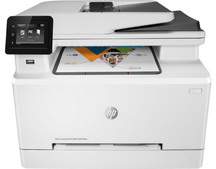
HP Color LaserJet Pro MFP M281fdw Driver Download
- 16 drivers
- Supports Windows 11
- Windows · macOS · Linux
- ✓ Safe & free
The HP Color LaserJet Pro MFP M281fdw printer boasts an impressive input capacity of approximately 270 sheets in its main tray, with a stacked height of around 27 mm. Meanwhile, the output tray can hold up to 100 sheets of printed pages, with a maximum stack height of 10 mm. To cater to a wide range of needs, this printer supports various media sizes such as letter, legal, executive, oficio, A4, A5, B5, and B6. Additionally, it can handle an array of media types including bond, brochure, glossy, heavy, letterhead, uncoated, or matte materials, within a weight range of 60 to 163 gsm. With such flexibility in media handling, the HP Color LaserJet Pro MFP M281fdw is a reliable choice for businesses and individuals who require high-quality printing results for various professional purposes.HP Color LaserJet Pro MFP M281fdw printer Replacing CartridgesBlack LaserJet HP 202A Toner Cartridge (~1400 yield)Cyan LaserJet HP 202A Toner Cartridge (~1300 yield)Yellow LaserJet HP 202A Toner Cartridge (~1300 yield)Magenta LaserJet HP 202A Toner Cartridge (~1300 yield)Black LaserJet HP 202X Toner Cartridge (~3200 yield)Cyan LaserJet HP 202X Toner Cartridge (~2500 yield)Yellow LaserJet HP 202X Toner Cartridge (~2500 yield)Magenta LaserJet HP 202X Toner Cartridge (~2500 yield).
HP Color LaserJet Pro MFP M281fdw Driver Downloads
| Driver | Operating System | Version | Size | Download |
|---|---|---|---|---|
| Full Software Solution Recommended | Windows 11Windows 10Windows 8.1Windows 8Windows 7 | — | 253.6 MB | Download |
| Basic Software Solution | Windows 10Windows 8.1Windows 8Windows 7Windows VistaWindows XP | — | 79.3 MB | Download |
| Basic Software Solution | Windows 11Windows 10Windows 8.1Windows 8Windows 7 | — | 89.1 MB | Download |
| PCL6 Universal Print | Windows 11Windows 10Windows 8.1Windows 8Windows 7 | — | 18.3 MB | Download |
| PCL6 Universal Print | Windows 11Windows 10Windows 8.1Windows 8Windows 7 | — | 20.7 MB | Download |
| PostScript Universal Print | Windows 11Windows 10Windows 8.1Windows 8Windows 7 | — | 19.5 MB | Download |
| PostScript Universal Print | Windows 11Windows 10Windows 8.1Windows 8Windows 7 | — | 21.8 MB | Download |
| USB Connected PCL6 Universal Print | Windows 11Windows 10Windows 8.1Windows 8Windows 7 | — | 18.4 MB | Download |
| USB Connected PCL6 Universal Print | Windows 11Windows 10Windows 8.1Windows 8Windows 7 | — | 20.7 MB | Download |
| USB Connected PostScript Universal Print | Windows 11Windows 10Windows 8.1Windows 8Windows 7 | — | 19.6 MB | Download |
| USB Connected PostScript Universal Print | Windows 11Windows 10Windows 8.1Windows 8Windows 7 | — | 21.9 MB | Download |
| Easy Start Printer Setup | Windows 11Windows 10 | — | 11.3 MB | Download |
| Easy Start Printer Setup | Windows 8.1Windows 8 | — | 11.3 MB | Download |
| Easy Start Printer Setup | Windows 7 | — | 11.3 MB | Download |
| Easy Start Printer Setup | macOS | — | 9.1 MB | Download |
| hp helip installer 3.18.5.run | Windows | — | 21.4 MB | Download |
How to Install the HP Color LaserJet Pro MFP M281fdw Driver
- Click the recommended driver package above and save the file to your PC.
- Open the downloaded file and follow the on-screen HP installer.
- Connect the Color LaserJet Pro MFP M281fdw by USB or network when prompted.
- Finish and print a test page to confirm the driver works.