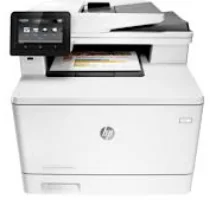
HP Color LaserJet Pro MFP M477fdn Driver Download
- 8 drivers
- Supports Windows 10
- Windows · macOS · Linux
- ✓ Safe & free
Introducing the HP Color LaserJet Pro MFP M477fdn - the ultimate all-in-one printer that not only prints, but also copies, scans, sends and receives faxes. It's no wonder why this printer is often referred to as a Multifunctioning printer (MFP). The M477fdn has been specifically designed for small offices, making it the perfect addition to any workspace. With its powerful and compact build, it not only looks great, but it also produces top-quality results that match its physical appearance. When it comes to print quality, the MFP M477fdn surpasses many LaserJet printers on the market. Whether you're printing text or graphics, the results are nothing short of outstanding. Plus, with a wide range of connection options, you can easily and seamlessly integrate the M477fdn into your existing office setup. Invest in the HP Color LaserJet Pro MFP M477fdn today and experience the ultimate in all-in-one printing technology.
HP Color LaserJet Pro MFP M477fdn Driver Downloads
| Driver | Operating System | Version | Size | Download |
|---|---|---|---|---|
| PCL 6 v3 Full Solution Recommended | Windows 10Windows 8.1Windows 8 | — | 133.5 MB | Download |
| PCL 6 v3 Print Driver no installer | Windows 10Windows 8.1Windows 8Windows 7 | — | 12.2 MB | Download |
| PCL 6 v4 Print Driver no installer | Windows 10Windows 8.1Windows 8 | — | 10.6 MB | Download |
| Full Drivers | Windows 7 | — | 163.1 MB | Download |
| Universal Fax | Windows 8.1Windows 8Windows 7Windows VistaWindows XP | — | 11.3 MB | Download |
| PCL6 Print | Windows VistaWindows XP | — | 128.9 MB | Download |
| PCL6 Print Driver no installer | Windows VistaWindows XP | — | 15.8 MB | Download |
| Easy Start Printer Setup | macOS | — | 9.1 MB | Download |
How to Install the HP Color LaserJet Pro MFP M477fdn Driver
- Click the recommended driver package above and save the file to your PC.
- Open the downloaded file and follow the on-screen HP installer.
- Connect the Color LaserJet Pro MFP M477fdn by USB or network when prompted.
- Finish and print a test page to confirm the driver works.