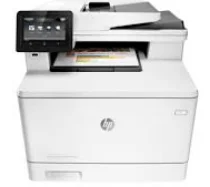
HP Color LaserJet Pro MFP M477fnw Driver Download
- 8 drivers
- Supports Windows 10
- Windows · macOS · Linux
- ✓ Safe & free
The HP Color LaserJet Pro MFP M477fnw is an exceptional pro-consumer model with high-speed printing capabilities and a decent ready-to-print time. Its sleek and sturdy design makes it a perfect fit for any professional office setting. One of the best advantages of this printer is its touchscreen feature, which allows for accurate navigation and is ideal for meeting official demands. Additionally, the HP Color LaserJet Pro MFP M477fnw is equipped to handle essential tasks at a faster rate while also providing security against potential threats. This printer comes with original HP Toner cartridges, ensuring swift and efficient printing performance. Its significant memory capacity makes it easy for users to store and protect data. Overall, the HP Color LaserJet Pro MFP M477fnw is an impressive machine that delivers high-quality printing and is equipped with advanced features to meet the demands of any professional setting.
HP Color LaserJet Pro MFP M477fnw Driver Downloads
| Driver | Operating System | Version | Size | Download |
|---|---|---|---|---|
| PCL6 v3 Full Solution Recommended | Windows 10Windows 8.1Windows 8 | — | 133.5 MB | Download |
| Full Drivers | Windows 7 | — | 163.1 MB | Download |
| PCL6 v3 Print Driver no installer | Windows 10Windows 8.1Windows 8Windows 7 | — | 12.2 MB | Download |
| PCL 6 v4 Print Driver no installer | Windows 10Windows 8.1Windows 8 | — | 10.6 MB | Download |
| PCL6 Printer Driver no installer | Windows VistaWindows XP | — | 15.8 MB | Download |
| PCL6 Printer | Windows VistaWindows XP | — | 128.9 MB | Download |
| Universal Fax | Windows 8.1Windows 8Windows 7Windows VistaWindows XP | — | 11.3 MB | Download |
| Easy Start Printer Setup | macOS | — | 9.1 MB | Download |
How to Install the HP Color LaserJet Pro MFP M477fnw Driver
- Click the recommended driver package above and save the file to your PC.
- Open the downloaded file and follow the on-screen HP installer.
- Connect the Color LaserJet Pro MFP M477fnw by USB or network when prompted.
- Finish and print a test page to confirm the driver works.