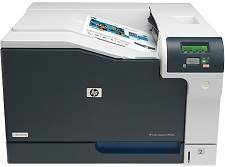
HP Color LaserJet Professional CP5225 Driver Download
- 12 drivers
- Supports Windows Vista
- Windows · macOS · Linux
- ✓ Safe & free
Hewlett and Packard have once more brought another efficient and comprehensive printer for office use. The HP Color LaserJet Professional CP5225 is a must-have printer for small or home offices. Its large size document printing capability allows the users to finish all the printing tasks easily and swiftly. With this versatile printer, one can complete the printing tasks faster and with higher accuracy.HP Color LaserJet Professional CP5225 toner cartridge.Introducing the HP Color LaserJet print cartridge series, featuring the CE740A Black, CE741A Cyan, CE742A Yellow, and CE743A Magenta cartridges. Each cartridge boasts a yield of approximately 7,000 to 7,300 pages, ensuring reliable and long-lasting performance for your printing needs. The CE740A Black cartridge is specifically designed for high-volume printing, delivering crisp, sharp text and bold graphics with every page. The CE741A Cyan cartridge produces vibrant, true-to-life colors that capture even the most subtle details, while the CE743A Magenta cartridge adds depth and richness to your prints. Finally, the CE742A Yellow cartridge completes the set with bright, eye-catching hues that make your images pop. These cartridges are compatible with a range of HP Color LaserJet printers and feature advanced toner technology for consistent, high-quality results. Trust the HP Color LaserJet print cartridge series to deliver exceptional performance and value for all your printing needs.The printer can be easily connected to any system running on Windows or Macintosh operating system. For Windows XP, the system should possess an Intel Pentium II processor, along with 64 MB of RAM and 250 MB of disk storage. For newer Windows versions such as Windows 7 and Vista, it requires minimum 1 GB of RAM, any 1 GHz processor and 2 GB of free disk space. Additionally, the printer has complete compatibility with the latest Windows operating systems, i.e. Windows 8 and Windows 10.With regards to Macintosh operating systems, the printer has full compatibility with all the versions with and above Mac OS X 10.3. For these versions, it requires any PowerPC processor like the version G3, G4, and G5 or the Intel, core processor. Along with this, it needs at a minimum 150 MB of free disk space.
HP Color LaserJet Professional CP5225 Driver Downloads
| Driver | Operating System | Version | Size | Download |
|---|---|---|---|---|
| Full Solution Recommended | Windows VistaWindows XP | — | 250.3 MB | Download |
| Full Solution | Windows VistaWindows XP | — | 169.3 MB | Download |
| Printer Driver | Windows VistaWindows XP | — | 53.1 MB | Download |
| PCL6 Universal Print | Windows 11Windows 10Windows 8.1Windows 8Windows 7 | — | 18.3 MB | Download |
| PCL6 Universal Print | Windows 11Windows 10Windows 8.1Windows 8Windows 7 | — | 20.7 MB | Download |
| PostScript Universal Print | Windows 11Windows 10Windows 8.1Windows 8Windows 7 | — | 19.5 MB | Download |
| PostScript Universal Print | Windows 11Windows 10Windows 8.1Windows 8Windows 7 | — | 21.8 MB | Download |
| PCL6 Universal Print Driver for USB connected printers | Windows 11Windows 10Windows 8.1Windows 8Windows 7 | — | 18.4 MB | Download |
| PCL6 Universal Print Driver for USB connected printers | Windows 11Windows 10Windows 8.1Windows 8Windows 7 | — | 20.7 MB | Download |
| PostScript Universal Print Driver for USB connected printers | Windows 11Windows 10Windows 8.1Windows 8Windows 7 | — | 19.6 MB | Download |
| PostScript Universal Print Driver for USB connected printers | Windows 11Windows 10Windows 8.1Windows 8Windows 7 | — | 21.9 MB | Download |
| HP Easy Start | macOS | — | 9.1 MB | Download |
How to Install the HP Color LaserJet Professional CP5225 Driver
- Click the recommended driver package above and save the file to your PC.
- Open the downloaded file and follow the on-screen HP installer.
- Connect the Color LaserJet Professional CP5225 by USB or network when prompted.
- Finish and print a test page to confirm the driver works.