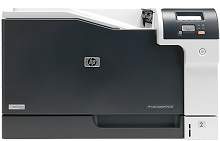
HP Color LaserJet Professional CP5225dn Driver Download
- 14 drivers
- Supports Windows Vista
- Windows · macOS · Linux
- ✓ Safe & free
An all-rounder when it comes to printing on small and large sized sheets, the HP Color LaserJet Professional CP5225dn is exclusive for office use. Unlike other printers, this can print on A3 and oversized documents easily. From everyday letters to marketing materials, the user can work with the printer through its intuitive control panel.HP Color LaserJet Professional CP5225dn toner cartridge.The HP Color LaserJet CE740A Black Print Cartridge is a high-performance printing solution that can deliver up to 7000 pages of sharp and clear black prints. For cyan, magenta, and yellow color prints, the HP Color LaserJet CE741A Cyan Print Cartridge, HP Color LaserJet CE743A Magenta Print Cartridge, and HP Color LaserJet CE742A Yellow Print Cartridge offer equally impressive page yields of up to 7300 pages each. These print cartridges are designed to work seamlessly with your HP Color LaserJet printer, ensuring consistent and reliable printing performance. They feature advanced toner technology that produces vibrant colors and deep blacks, making them ideal for printing high-quality graphics, charts, and other professional documents. By using genuine HP print cartridges, you can enjoy the peace of mind that comes with knowing your printer is running at optimal performance and that your prints will look their best every time. So, whether you're printing reports, presentations, or marketing materials, trust HP print cartridges to deliver the quality and dependability you need to succeed.The printer's compatibility is reliant on the version of the operating system. It functions seamlessly with both Windows and Macintosh operating systems. To operate on Windows XP, the system must be equipped with an Intel Pentium processor, 128 MB of RAM, and 250 MB of available disk space. For the more advanced Windows Vista and 7, a 1 GHz processor and 512 MB of RAM with 250 MB of free storage are required. In addition, the printer operates efficiently with Windows 8 as well as the latest Windows version 10.For Macintosh users operating on Mac OS X 10.3 and beyond, a PowerPC G3 processor or higher is mandatory for optimal performance. Additionally, the system must have a minimum of 150 MB of free disk space to function properly. The printer is fully compatible with the most recent version of Mac OS X, 10.14.
HP Color LaserJet Professional CP5225dn Driver Downloads
| Driver | Operating System | Version | Size | Download |
|---|---|---|---|---|
| Full Solution Recommended | Windows VistaWindows XP | — | 250.3 MB | Download |
| Full Solution | Windows VistaWindows XP | — | 169.3 MB | Download |
| Printer Driver | Windows VistaWindows XP | — | 53.1 MB | Download |
| PCL5 Universal Print | Windows 8.1Windows 8Windows 7 | — | 17 MB | Download |
| PCL5 Universal Print | Windows 8.1Windows 8Windows 7 | — | 18.9 MB | Download |
| PCL6 Universal Print | Windows 11Windows 10Windows 8.1Windows 8Windows 7 | — | 18.3 MB | Download |
| PCL6 Universal Print | Windows 11Windows 10Windows 8.1Windows 8Windows 7 | — | 20.7 MB | Download |
| PostScript Universal Print | Windows 11Windows 10Windows 8.1Windows 8Windows 7 | — | 19.5 MB | Download |
| PostScript Universal Print | Windows 11Windows 10Windows 8.1Windows 8Windows 7 | — | 21.8 MB | Download |
| PCL6 Universal Print Driver for USB connected printers | Windows 11Windows 10Windows 8.1Windows 8Windows 7 | — | 18.4 MB | Download |
| PCL6 Universal Print Driver for USB connected printers | Windows 11Windows 10Windows 8.1Windows 8Windows 7 | — | 20.7 MB | Download |
| PostScript Universal Print Driver for USB connected printers | Windows 11Windows 10Windows 8.1Windows 8Windows 7 | — | 19.6 MB | Download |
| PostScript Universal Print Driver for USB connected printers | Windows 11Windows 10Windows 8.1Windows 8Windows 7 | — | 21.9 MB | Download |
| Easy Start Printer Setup | macOS | — | 9.1 MB | Download |
How to Install the HP Color LaserJet Professional CP5225dn Driver
- Click the recommended driver package above and save the file to your PC.
- Open the downloaded file and follow the on-screen HP installer.
- Connect the Color LaserJet Professional CP5225dn by USB or network when prompted.
- Finish and print a test page to confirm the driver works.