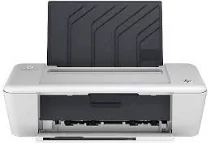
HP Deskjet 1010 Driver Download
- 5 drivers
- Supports Windows
- Windows · macOS · Linux
- ✓ Safe & free
Introducing the ultimate all-in-one printer that offers budget-friendly and effortless printing with a swift setup process. Featuring a speedy USB 2.0 port, you can effortlessly connect flash drives and print files directly from these devices. Moreover, its compact design makes it perfect to fit into cramped shelves and small spaces. The HP Deskjet 1010 supports a basic driver for Windows 10, 8.1, 8, 7, Vista, and XP, ensuring seamless compatibility across various operating systems. With its cutting-edge technology, this printer is sure to deliver high-quality prints that meet your expectations. Invest in this versatile printer, and experience hassle-free printing at your fingertips. Get your hands on the HP Deskjet 1010 today and enjoy the perks of unparalleled printing technology!.
HP Deskjet 1010 Driver Downloads
| Driver | Operating System | Version | Size | Download |
|---|---|---|---|---|
| Full Feature Drivers Recommended | Windows | — | 90.3 MB | Download |
| Basic | Windows 10Windows 8.1Windows 8Windows 7Windows VistaWindows XP | — | 26 MB | Download |
| Basic | Windows 10Windows 8.1Windows 8Windows 7Windows Vista | — | 27 MB | Download |
| Full Feature Drivers | macOS | — | 67.9 MB | Download |
| HP Easy Start | macOS | — | 9 MB | Download |
How to Install the HP Deskjet 1010 Driver
- Click the recommended driver package above and save the file to your PC.
- Open the downloaded file and follow the on-screen HP installer.
- Connect the Deskjet 1010 by USB or network when prompted.
- Finish and print a test page to confirm the driver works.