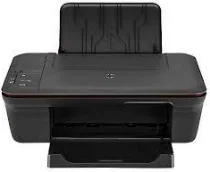
HP Deskjet 1050A Driver Download
- 5 drivers
- Supports Windows
- Windows · macOS · Linux
- ✓ Safe & free
HP has been a leader in printing technology since its inception, pushing the boundaries of innovation and improving the speed and quality of printing. The brand is renowned for its commitment to affordable printing solutions, making it accessible to a wider range of consumers. One of HP's latest offerings is the Deskjet 1050A Driver, which requires a minimal 2GB of free disk space. This driver is designed to optimize the printing process, ensuring that every print job is of the highest quality and delivered in a timely manner. By leveraging cutting-edge technology and a deep understanding of consumer needs, HP has cemented its position as a top player in the printing industry. With a focus on affordability and accessibility, HP continues to make printing a seamless and enjoyable experience for everyone.
HP Deskjet 1050A Driver Downloads
| Driver | Operating System | Version | Size | Download |
|---|---|---|---|---|
| Full Feature Drivers Recommended | Windows | — | 48.9 MB | Download |
| Basic | Windows 10Windows 8.1Windows 8Windows 7Windows VistaWindows XP | — | 17.1 MB | Download |
| Basic | Windows 10Windows 8.1Windows 8Windows 7Windows Vista | — | 18.5 MB | Download |
| Full Feature Drivers | macOS | — | 111.1 MB | Download |
| Full Feature Drivers | macOS | — | 86.4 MB | Download |
How to Install the HP Deskjet 1050A Driver
- Click the recommended driver package above and save the file to your PC.
- Open the downloaded file and follow the on-screen HP installer.
- Connect the Deskjet 1050A by USB or network when prompted.
- Finish and print a test page to confirm the driver works.