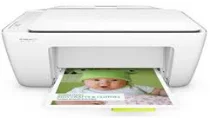
HP DeskJet 2131 Driver Download
- 8 drivers
- Supports Windows
- Windows · macOS · Linux
- ✓ Safe & free
Experience the convenience of a multi-functional printer with the HP DeskJet 2131. Say goodbye to the hassle of separate printing, copying, and scanning machines. This all-in-one printer provides a cost-effective solution with its optional high yield ink cartridge, helping you save money while meeting all your printing needs. Not only does it save you money, but it also saves space. With the HP DeskJet 2131, you can have all these functions in just one device, eliminating the need for multiple machines. Its compact design is perfect for small spaces, making it an ideal choice for home offices, small businesses, or even personal use. Make everyday tasks a breeze with the HP DeskJet 2131. Get high-quality prints, copies, and scans with ease and efficiency. This versatile printer is perfect for those who value functionality and convenience without compromising on quality. Upgrade your printing game today with the HP DeskJet 2131.
HP DeskJet 2131 Driver Downloads
| Driver | Operating System | Version | Size | Download |
|---|---|---|---|---|
| Full Feature Drivers Recommended | Windows | — | 139.6 MB | Download |
| Full Feature Drivers | Windows Vista | — | 115.7 MB | Download |
| Basic | Windows 10Windows 8.1Windows 8Windows 7Windows VistaWindows XP | — | 46.1 MB | Download |
| Basic | Windows 10Windows 8.1Windows 8Windows 7 | — | 49.3 MB | Download |
| Basic | Windows Vista | — | 35.5 MB | Download |
| Easy Start Printer Setup | Windows 11Windows 10Windows 7 | — | 9.8 MB | Download |
| Easy Start Printer Setup | Windows 8.1Windows 8 | — | 9.8 MB | Download |
| Easy Start Printer Setup | macOS | — | 9.1 MB | Download |
How to Install the HP DeskJet 2131 Driver
- Click the recommended driver package above and save the file to your PC.
- Open the downloaded file and follow the on-screen HP installer.
- Connect the DeskJet 2131 by USB or network when prompted.
- Finish and print a test page to confirm the driver works.