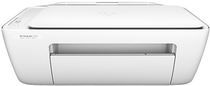
HP DeskJet 2134 Driver Download
- 8 drivers
- Supports Windows 10
- Windows · macOS · Linux
- ✓ Safe & free
Hewlett-Packard, a renowned brand in the printer industry, offers a wide range of printers that cater to all your printing needs and requirements. Their all-in-one printers are particularly well-suited for office use. If you are in the market for an all-in-one printer, the HP Deskjet 2134 is an excellent choice. This printer boasts USB compatibility, making it incredibly easy and fast to print your documents. It is a perfect choice for those who require a reliable and efficient printer for their office needs. With its impressive features, the HP Deskjet 2134 is sure to exceed your expectations. Investing in an HP printer like the Deskjet 2134 is a wise decision, as it is built to last and can handle even the most demanding printing tasks. With its sleek design and advanced technology, this printer is a great addition to any office. So why wait? Get your hands on an HP Deskjet 2134 today and experience the best in printing technology!.
HP DeskJet 2134 Driver Downloads
| Driver | Operating System | Version | Size | Download |
|---|---|---|---|---|
| Full Feature Drivers Recommended | Windows 10Windows 8.1Windows 8Windows 7Windows VistaWindows XP | — | 139.6 MB | Download |
| Full Feature Drivers | Windows Vista | — | 115.7 MB | Download |
| Basic | Windows 10Windows 8.1Windows 8Windows 7Windows VistaWindows XP | — | 46.1 MB | Download |
| Basic | Windows 10Windows 8.1Windows 8Windows 7 | — | 49.3 MB | Download |
| Basic | Windows Vista | — | 35.5 MB | Download |
| Easy Start Printer Setup | Windows 11Windows 10Windows 7 | — | 9.8 MB | Download |
| Easy Start Printer Setup | Windows 8.1Windows 8 | — | 9.8 MB | Download |
| Easy Start Printer Setup | macOS | — | 9.1 MB | Download |
How to Install the HP DeskJet 2134 Driver
- Click the recommended driver package above and save the file to your PC.
- Open the downloaded file and follow the on-screen HP installer.
- Connect the DeskJet 2134 by USB or network when prompted.
- Finish and print a test page to confirm the driver works.