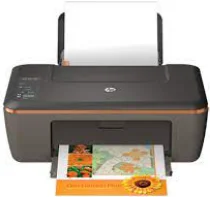
HP Deskjet 2514 Driver Download
- 5 drivers
- Supports Windows
- Windows · macOS · Linux
- ✓ Safe & free
In today's world, a printer has become an indispensable component for every office, business, and even household. It enables the user to produce hard copies of documents that were once only available in soft copy. A business organization needs to print labels, advertising materials, and other essential documents. HP, a renowned brand, offers a variety of printers at affordable prices, with high-quality printing. HP provides a broad range of printers, including large and compact models to fit different needs. The HP Deskjet 2514 is an all-in-one printer that allows people to print, copy, and scan all types of documents with ease. With the HP Deskjet 2514, users can take advantage of its multiple functionalities, ensuring that their printing needs are met efficiently. The printer's affordability and high-quality make it a top choice for many people. It's a printer that can handle anything thrown its way, from simple text documents to high-quality images. In conclusion, the HP Deskjet 2514 is an excellent investment for anyone in need of a reliable, efficient, and affordable all-in-one printer. With this printer, users can produce high-quality hard copies of their documents with ease, making it an essential tool for any office, business, or household.
HP Deskjet 2514 Driver Downloads
| Driver | Operating System | Version | Size | Download |
|---|---|---|---|---|
| Full Feature Drivers Recommended | Windows | — | 55.9 MB | Download |
| Basic | Windows 10Windows 8.1Windows 8Windows 7Windows VistaWindows XP | — | 21.1 MB | Download |
| Basic | Windows 10Windows 8.1Windows 8Windows 7Windows Vista | — | 22.9 MB | Download |
| Easy Start Printer Setup | macOS | — | 9.1 MB | Download |
| Full Feature Drivers | macOS | — | 146.9 MB | Download |
How to Install the HP Deskjet 2514 Driver
- Click the recommended driver package above and save the file to your PC.
- Open the downloaded file and follow the on-screen HP installer.
- Connect the Deskjet 2514 by USB or network when prompted.
- Finish and print a test page to confirm the driver works.