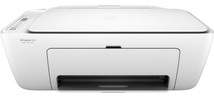
HP DeskJet 2622 Driver Download
- 8 drivers
- Supports Windows 11
- Windows · macOS · Linux
- ✓ Safe & free
The HP DeskJet 2622 printer is a versatile all-in-one printer that offers the convenience of printing, copying, and scanning documents. With a product number of Y5H67D, this printer can only be connected wirelessly. Its copying feature includes an auto-enlarge function that is compatible with both monochrome and colored copies. Additionally, this feature can produce up to 9 texts from the original document, making it ideal for businesses and offices with high-volume printing needs. The HP DeskJet 2622 printer is also equipped with a high-resolution capability, running at an average of 600 x 300 dots per inch (dpi). This ensures that all prints come out with sharp and clear details, perfect for professional documents and presentations. Overall, the HP DeskJet 2622 printer is a reliable and efficient choice for anyone in need of a multifunctional printer. Its wireless connectivity and advanced copying features make it a standout option in the market.
HP DeskJet 2622 Driver Downloads
| Driver | Operating System | Version | Size | Download |
|---|---|---|---|---|
| Full Feature Drivers Recommended | Windows 11Windows 10Windows 8.1Windows 8Windows 7 | — | 136.3 MB | Download |
| Full Feature Drivers | Windows VistaWindows XP | — | 137.1 MB | Download |
| Basic | Windows 10Windows 8.1Windows 8Windows 7Windows VistaWindows XP | — | 58.9 MB | Download |
| Basic | Windows 10Windows 8.1Windows 8Windows 7 | — | 64.8 MB | Download |
| Basic | Windows VistaWindows XP | — | 60.4 MB | Download |
| Easy Start Printer Setup | Windows 11Windows 10Windows 8.1Windows 8Windows 7 | — | 11.3 MB | Download |
| HP Smart | macOS | — | 22.6 MB | Download |
| Easy Start Printer Setup | macOS | — | 9.1 MB | Download |
How to Install the HP DeskJet 2622 Driver
- Click the recommended driver package above and save the file to your PC.
- Open the downloaded file and follow the on-screen HP installer.
- Connect the DeskJet 2622 by USB or network when prompted.
- Finish and print a test page to confirm the driver works.