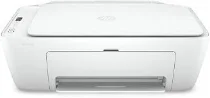
HP DeskJet 2710 Driver Download
- 4 drivers
- Supports Windows 11
- Windows · macOS · Linux
- ✓ Safe & free
The HP DeskJet 2710 printer model is a versatile all-in-one printer that offers exceptional quality output. With its printing, copying, and scanning capabilities, it's an excellent choice for a wide range of printing needs. Equipped with a hi-speed USB 2.0 port and an inbuilt Wi-Fi 802.11b/g/n, this printer ensures seamless connectivity to a range of devices. Its auto-enlargement and color copying features make it an ideal choice for a variety of copying needs. It can produce up to 9 copies from a single original document, with a copy resolution of up to 300 x 300 dots per inch (dpi). The easy start printer driver of HP DeskJet 2710 is designed to enhance the user experience, making it easy to set up and use. So, whether you're printing important documents, scanning photos, or making copies of important paperwork, the HP DeskJet 2710 is an excellent choice for your home or office needs.
HP DeskJet 2710 Driver Downloads
| Driver | Operating System | Version | Size | Download |
|---|---|---|---|---|
| Full Feature Driver Recommended | Windows 11Windows 10Windows 7 | — | 195.2 MB | Download |
| Full Feature Driver | Windows 10Windows 8.1Windows 8Windows 7 | — | 192.3 MB | Download |
| Easy Start Printer Setup | Windows 11Windows 10Windows 8.1Windows 8Windows 7 | — | 11.4 MB | Download |
| Easy Start | macOS | — | 9.1 MB | Download |
How to Install the HP DeskJet 2710 Driver
- Click the recommended driver package above and save the file to your PC.
- Open the downloaded file and follow the on-screen HP installer.
- Connect the DeskJet 2710 by USB or network when prompted.
- Finish and print a test page to confirm the driver works.