HP Deskjet 3050A Driver Download
- 8 drivers
- Supports Windows
- Windows · macOS · Linux
- ✓ Safe & free
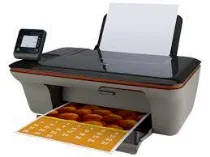
The CR231C HP Deskjet 3050A is a versatile all-in-one printer that offers both USB and wireless connectivity options. Its driver is compatible with various versions of Windows OS, including 7, 8, 10, Vista, and XP. It also supports several Mac OS versions, such as Mac OS X v10.5, v10.6, v10.7, v10.8 mountain lion, and v10.9 Mavericks. By providing these connectivity and compatibility options, the HP Deskjet 3050A ensures seamless integration with a wide range of devices and operating systems, making it an ideal choice for various personal and professional applications.HP Deskjet 3050A e-All-in-One cartridges are an essential component for maintaining the high-quality printing performance of your printer. These cartridges are designed to work seamlessly with your HP Deskjet 3050A e-All-in-One printer, ensuring optimal print quality and longevity. Featuring advanced ink technology, these cartridges deliver rich, vibrant colors and sharp, clear text that is resistant to fading and smudging. They are also designed to be easy to install and replace, allowing you to quickly and easily swap out cartridges as needed. In addition to their superior performance, these cartridges are also eco-friendly, featuring recyclable materials and a design that minimizes waste. This makes them a smart choice for businesses and individuals who are looking to reduce their environmental impact while still enjoying the benefits of high-quality printing. So if you're in need of replacement cartridges for your HP Deskjet 3050A e-All-in-One printer, look no further than these high-quality cartridges. With their superior performance, eco-friendly design, and easy installation, they are the perfect choice for all your printing needs.HP61 Black Ink Cartridge (~190 pages), HP 61 Tri-color Ink Cartridge Cartridge (~165 pages).
HP Deskjet 3050A Driver Downloads
| Driver | Operating System | Version | Size | Download |
|---|---|---|---|---|
| Full Feature Drivers Recommended | Windows | — | 54.7 MB | Download |
| Basic | Windows 10Windows 8.1Windows 8Windows 7Windows VistaWindows XP | — | 20.7 MB | Download |
| Basic | Windows 10Windows 8.1Windows 8Windows 7Windows Vista | — | 22.3 MB | Download |
| ePrint Software Network and Wireless Connected Printers | Windows 10Windows 8.1Windows 8Windows 7 | — | 26.2 MB | Download |
| ePrint Software Network and Wireless Connected Printers | Windows 10Windows 8.1Windows 8Windows 7 | — | 31.2 MB | Download |
| Full Feature Drivers | macOS | — | 144.5 MB | Download |
| Full Feature Drivers | macOS | — | 97.2 MB | Download |
| ePrint Software Network and Wireless Connected Printers | macOS | — | 6.6 MB | Download |
How to Install the HP Deskjet 3050A Driver
- Click the recommended driver package above and save the file to your PC.
- Open the downloaded file and follow the on-screen HP installer.
- Connect the Deskjet 3050A by USB or network when prompted.
- Finish and print a test page to confirm the driver works.