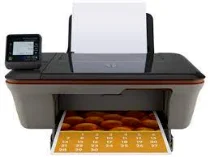
HP Deskjet 3052A Driver Download
- 8 drivers
- Supports Windows
- Windows · macOS · Linux
- ✓ Safe & free
The HP Deskjet 3052A model is undoubtedly one of the most portable printers in the HP product line-up. Its sleek body is designed to fit seamlessly into both home and small business environments, making it an ideal choice for those on-the-go. This printer is part of the HP Deskjet 3050 family series of portable printers, and it boasts a model number of CR233A. What's more, the HP Deskjet 3052A offers a range of connectivity options, including wireless network and USB port. This means that you can easily connect to your printer from anywhere in your home or office, and print your documents with ease. With its compact design and versatile connectivity options, the HP Deskjet 3052A is a must-have for anyone who needs to print documents on-the-go.HP Deskjet 3052A e-All-in-One cartridges are a vital component of your printing setup. These cartridges are specifically designed to work seamlessly with your HP Deskjet 3052A e-All-in-One printer, ensuring that you get the best possible print quality and performance. Whether you're printing documents for work or school, or photos and graphics for personal use, these cartridges deliver sharp, clear images and text every time. They are available in a range of sizes and colors, so you can choose the cartridge that best meets your needs. When it's time to replace your cartridges, be sure to use genuine HP products to ensure the best possible results. Genuine HP cartridges are rigorously tested to ensure that they meet the highest standards of quality and reliability. In addition to their superior performance, these cartridges are also designed with sustainability in mind. HP is committed to reducing its environmental impact, and these cartridges are made with recycled materials and can be easily recycled again when they are empty. So if you want to get the most out of your HP Deskjet 3052A e-All-in-One printer, be sure to use genuine HP Deskjet 3052A e-All-in-One cartridges. They are the perfect choice for anyone who values quality, reliability, and sustainability.HP61 Black Ink Cartridge (~190 pages), HP 60 Tri-color Ink Cartridge Cartridge (~165 pages).
HP Deskjet 3052A Driver Downloads
| Driver | Operating System | Version | Size | Download |
|---|---|---|---|---|
| Full Feature Drivers Recommended | Windows | — | 54.7 MB | Download |
| Basic | Windows 10Windows 8.1Windows 8Windows 7Windows VistaWindows XP | — | 20.7 MB | Download |
| Basic | Windows 10Windows 8.1Windows 8Windows 7Windows Vista | — | 22.3 MB | Download |
| ePrint Software Network and Wireless Connected Printers | Windows 10Windows 8.1Windows 8Windows 7 | — | 26.2 MB | Download |
| ePrint Software Network and Wireless Connected Printers | Windows 10Windows 8.1Windows 8Windows 7 | — | 31.2 MB | Download |
| Full Feature Drivers | macOS | — | 144.5 MB | Download |
| Full Feature Drivers | macOS | — | 97.2 MB | Download |
| ePrint Software Network and Wireless Connected Printers | macOS | — | 6.6 MB | Download |
How to Install the HP Deskjet 3052A Driver
- Click the recommended driver package above and save the file to your PC.
- Open the downloaded file and follow the on-screen HP installer.
- Connect the Deskjet 3052A by USB or network when prompted.
- Finish and print a test page to confirm the driver works.