HP DeskJet 3720 Driver Download
- 10 drivers
- Supports Windows 11
- Windows · macOS · Linux
- ✓ Safe & free
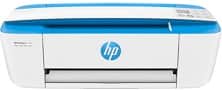
Hewlett and Packard the HP Deskjet 3720 as the world’s smartest printer as it has various unique features. The printer is distinct from other printers as it is compact and is a multi-functioning machine. The user can copy, scan and print with this small printer and also use the desktop space optimally. Above all the printer has a quiet mode operation feature.HP DeskJet 3720 All-in-One ink cartridge.HP304 Black Ink Cartridge yield (~120 pages), HP 304 Tri-color Ink Cartridge yield (~100 pages)The printer boasts complete compatibility with all Windows operating systems. For Windows XP, a processor speed of 233 MHz and 850 MB of free disk space are required for seamless printing. However, for Vista and 7, it is recommended to have a 1 GHz processor and 2 GB of available storage for optimal performance. The printer continues to operate smoothly with the most recent Windows 8 and 10 operating systems.The Macintosh operating system is compatible with Mac OS X 10.9, 10.10, and 10.11 versions, which require at least 1 GB of free storage. The printer is fully compatible with the latest Mac OS X 10.14, ensuring seamless integration with the latest technology.
HP DeskJet 3720 Driver Downloads
| Driver | Operating System | Version | Size | Download |
|---|---|---|---|---|
| Full Feature Drivers Recommended | Windows 11Windows 10Windows 8.1Windows 8Windows 7 | — | 102.5 MB | Download |
| Full Feature Drivers | Windows VistaWindows XP | — | 102.5 MB | Download |
| Basic | Windows 10Windows 8.1Windows 8Windows 7Windows VistaWindows XP | — | 54.5 MB | Download |
| Basic | Windows VistaWindows XP | — | 55.9 MB | Download |
| Basic Driver and Software IT Professional Use only | Windows 11Windows 10Windows 8.1Windows 8Windows 7 | — | 59.5 MB | Download |
| Easy Start Printer Setup | Windows 11Windows 10Windows 8.1Windows 8Windows 7 | — | 9.9 MB | Download |
| ePrint Software Network and Wireless Connected Printers | Windows 10Windows 8.1Windows 8Windows 7 | — | 26.2 MB | Download |
| ePrint Software Network and Wireless Connected Printers | Windows 10Windows 8.1Windows 8Windows 7 | — | 31.2 MB | Download |
| HP Easy Start Printer Setup | macOS | — | 9.1 MB | Download |
| HP Smart | macOS | — | 24.7 MB | Download |
How to Install the HP DeskJet 3720 Driver
- Click the recommended driver package above and save the file to your PC.
- Open the downloaded file and follow the on-screen HP installer.
- Connect the DeskJet 3720 by USB or network when prompted.
- Finish and print a test page to confirm the driver works.