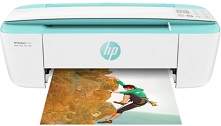
HP DeskJet 3755 Driver Download
- 10 drivers
- Supports Windows 11
- Windows · macOS · Linux
- ✓ Safe & free
The HP DeskJet 3755 is a printer for smarter homes and smarter people. This printer encompasses all the functions of print, copy, and scan. With its wireless printing capability, one can have the freedom to print on the go and the ability to print from everywhere in the house. This printer has ENERGY STAR certification and is the world’s smartest all in one home printer.HP DeskJet 3755 All-in-One ink cartridge.The HP65 Black Ink Cartridge boasts an impressive yield of approximately 120 pages, while the HP 65 Tri-color Ink Cartridge yields roughly 100 pages. For those in need of a higher page yield, the HP 65 XL Black Ink Cartridge and HP 65 XL Tri-color Ink Cartridge offer yields of approximately 300 pages each. These ink cartridges are designed to work seamlessly with select HP printers, delivering high-quality output with every print. Whether you're printing documents for work or school, or photos for personal use, these cartridges offer reliable performance and consistent results. Investing in high-yield ink cartridges can help you save money in the long run, as they require less frequent replacement than standard-yield cartridges. Plus, with HP's commitment to sustainability, you can feel good about using these cartridges knowing that they are designed with the environment in mind. Upgrade your printing experience with the HP 65 series ink cartridges and enjoy the benefits of high-quality, reliable printing.In order to connect the smart printer to a Windows XP operating system, an Intel Pentium II processor and 512 MB of RAM are required. For Windows Vista and 7, a 1 GHz processor and 2 GB of RAM are necessary for successful operation. This printer is also fully compatible with the latest Windows 8 and Windows 10 operating systems. Macintosh users can rest assured that this printer has full compatibility with Mac OS X 10.9 to 10.11, and at least 1 GB of free disk space is needed to install the firmware. And for those using the latest Macintosh operating system version Mac OS X 10.14, this printer has full compatibility as well.
HP DeskJet 3755 Driver Downloads
| Driver | Operating System | Version | Size | Download |
|---|---|---|---|---|
| Full Feature Drivers Recommended | Windows 11Windows 10Windows 8.1Windows 8Windows 7 | — | 102.5 MB | Download |
| Full Feature Drivers | Windows VistaWindows XP | — | 102.5 MB | Download |
| Basic | Windows 10Windows 8.1Windows 8Windows 7Windows VistaWindows XP | — | 54.5 MB | Download |
| Basic Drivers and Software IT Professional Use only | Windows 11Windows 10Windows 8.1Windows 8Windows 7 | — | 59.5 MB | Download |
| Basic | Windows VistaWindows XP | — | 55.9 MB | Download |
| Easy Start Printer Setup | Windows 11Windows 10Windows 8.1Windows 8Windows 7 | — | 9.9 MB | Download |
| ePrint Software Network and Wireless Connected Printers | Windows 10Windows 8.1Windows 8Windows 7 | — | 26.2 MB | Download |
| ePrint Software Network and Wireless Connected Printers | Windows 10Windows 8.1Windows 8Windows 7 | — | 31.2 MB | Download |
| Easy Start Printer Setup | macOS | — | 9.1 MB | Download |
| HP Smart | macOS | — | 24.7 MB | Download |
How to Install the HP DeskJet 3755 Driver
- Click the recommended driver package above and save the file to your PC.
- Open the downloaded file and follow the on-screen HP installer.
- Connect the DeskJet 3755 by USB or network when prompted.
- Finish and print a test page to confirm the driver works.