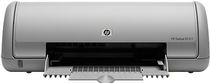
HP Deskjet D1311 Driver Download
- 8 drivers
- Supports Windows 10
- Windows · macOS · Linux
- ✓ Safe & free
The HP Deskjet D1311 printer is a top-notch product from HP that is highly recommended for small businesses and companies. Its compact size makes it a great choice for those who have limited space. This printer is designed to work efficiently with an energy star rating, even when running on low power. With an input frequency of 50 to 60 Hz and an input voltage ranging from 100 to 240, this printer is capable of delivering high-quality prints consistently. One of the biggest advantages of the HP Deskjet D1311 printer is its energy-efficient design. This feature allows users to save on energy costs while still achieving excellent print quality. Additionally, the printer's compact size makes it ideal for small offices or home use. The HP Deskjet D1311 printer is designed to work flawlessly with a wide range of operating systems, including Windows and Mac OS. This printer is also equipped with a range of connectivity options, including USB and Wi-Fi connectivity, which makes it easy to print from a variety of devices. Overall, the HP Deskjet D1311 printer is an excellent choice for those who are looking for a reliable and efficient printer that won't take up too much space. With its energy-efficient design and high-quality output, this printer is sure to meet the needs of any small business or company.
HP Deskjet D1311 Driver Downloads
| Driver | Operating System | Version | Size | Download |
|---|---|---|---|---|
| Full Feature Drivers Recommended | Windows 10Windows 8.1Windows 8 | — | 151.5 MB | Download |
| Full Feature Drivers | Windows 7 | — | 201.6 MB | Download |
| Full Feature Drivers | Windows Vista | — | 96 MB | Download |
| Basic | Windows Vista | — | 34.9 MB | Download |
| Full Feature Drivers | Windows XP | — | 272.5 MB | Download |
| Basic | Windows XP | — | 65.6 MB | Download |
| Printer | macOS | — | 38.8 MB | Download |
| Full Feature Drivers | macOS | — | 132 MB | Download |
How to Install the HP Deskjet D1311 Driver
- Click the recommended driver package above and save the file to your PC.
- Open the downloaded file and follow the on-screen HP installer.
- Connect the Deskjet D1311 by USB or network when prompted.
- Finish and print a test page to confirm the driver works.