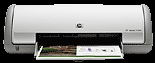
HP Deskjet D1360 Driver Download
- 8 drivers
- Supports Windows 10
- Windows · macOS · Linux
- ✓ Safe & free
The HP Deskjet D1360 printer is a user-friendly printing device that is suitable for both personal and professional use. Featuring a lightweight and streamlined design, this printer is highly portable and can be easily placed in any desired location within your home or office. With its versatile functionality and intuitive controls, the HP Deskjet D1360 printer provides a hassle-free printing experience. Whether you need to print important documents or personal photos, this printer delivers high-quality results with ease. Thanks to its compact size and sleek design, the HP Deskjet D1360 printer is a great choice for users who require a reliable printing device that is easy to use and convenient to transport. So why wait? Get your hands on the HP Deskjet D1360 printer today and experience the ultimate in printing convenience and performance!.
HP Deskjet D1360 Driver Downloads
| Driver | Operating System | Version | Size | Download |
|---|---|---|---|---|
| Full Feature Drivers Recommended | Windows 10Windows 8.1Windows 8 | — | 151.5 MB | Download |
| Full Feature Drivers | Windows 7 | — | 201.6 MB | Download |
| Full Feature Drivers | Windows Vista | — | 96 MB | Download |
| Basic | Windows Vista | — | 34.9 MB | Download |
| Full Feature Drivers | Windows XP | — | 272.5 MB | Download |
| Basic | Windows XP | — | 65.6 MB | Download |
| Printer | macOS | — | 38.8 MB | Download |
| Full Feature Drivers | macOS | — | 132 MB | Download |
How to Install the HP Deskjet D1360 Driver
- Click the recommended driver package above and save the file to your PC.
- Open the downloaded file and follow the on-screen HP installer.
- Connect the Deskjet D1360 by USB or network when prompted.
- Finish and print a test page to confirm the driver works.