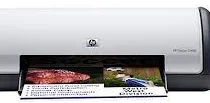
HP Deskjet D1460 Driver Download
- 8 drivers
- Supports Windows 10
- Windows · macOS · Linux
- ✓ Safe & free
The HP Deskjet D1460 is a member of the D1400 printer series, which are specialized for single-function printing in both color and monochrome. With their straightforward installation and user-friendly interface, these printers are easily accessible for anyone. One of their most notable features is the ability to create borderless prints on photo paper, enhancing the image's visual appeal. An additional feature that makes the HP Deskjet D1460 stand out is the Ink level indicator, which displays the precise amount of ink needed for each job in an Ink status window. This feature allows users to plan their printing activities more efficiently while avoiding the inconvenience of running out of ink mid-job. The Ink-backup mode is another intriguing feature that enables continuous printing on a second cartridge when the first one runs out, ensuring that the printing process remains uninterrupted. Overall, the HP Deskjet D1460 and the D1400 printer series are ideal for users who prioritize ease of use and efficiency in their printing activities. Their unique features make them a must-have for anyone seeking a reliable printing solution.
HP Deskjet D1460 Driver Downloads
| Driver | Operating System | Version | Size | Download |
|---|---|---|---|---|
| Full Feature Drivers Recommended | Windows 10Windows 8.1Windows 8 | — | 113.4 MB | Download |
| Full Feature Drivers | Windows 7 | — | 136.7 MB | Download |
| Full Drivers | Windows VistaWindows XP | — | 75.6 MB | Download |
| Basic | Windows VistaWindows XP | — | 36.1 MB | Download |
| Basic Driver IT Professional Use Only | Windows VistaWindows XP | — | 35.3 MB | Download |
| Printer | macOS | — | 23.6 MB | Download |
| Full Feature Drivers | macOS | — | 135 MB | Download |
| Full Feature Drivers | macOS | — | 121.7 MB | Download |
How to Install the HP Deskjet D1460 Driver
- Click the recommended driver package above and save the file to your PC.
- Open the downloaded file and follow the on-screen HP installer.
- Connect the Deskjet D1460 by USB or network when prompted.
- Finish and print a test page to confirm the driver works.