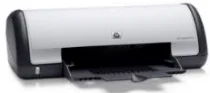
HP Deskjet D1520 Driver Download
- 7 drivers
- Supports Windows 10
- Windows · macOS · Linux
- ✓ Safe & free
The HP Deskjet D1520 is a compact printer designed for single-function printing tasks. This printer is capable of producing both color and monochrome prints. Its physical dimensions measure 141 x 422 x 316 mm (HWD), and it weighs approximately 4.29 lbs. The HP Deskjet D1520 printer has a monthly duty cycle of 750 copies. This means that it is capable of printing up to 750 pages per month without compromising its performance. Whether you need to print professional documents or personal photos, the HP Deskjet D1520 is a reliable and efficient option. If you're looking for a simple yet capable printer that can handle your basic printing needs, the HP Deskjet D1520 is a great choice. Its compact size and lightweight design make it easy to transport, while its ability to produce both color and monochrome prints ensures that you can print whatever you need, whenever you need it.
HP Deskjet D1520 Driver Downloads
| Driver | Operating System | Version | Size | Download |
|---|---|---|---|---|
| Full Feature Drivers Recommended | Windows 10Windows 8.1Windows 8 | — | 121.9 MB | Download |
| Full Feature Drivers | Windows 7 | — | 123.4 MB | Download |
| Full Feature Drivers | Windows VistaWindows XP | — | 82.6 MB | Download |
| Basic | Windows VistaWindows XP | — | 41.9 MB | Download |
| Printer | macOS | — | 23.6 MB | Download |
| Full Feature Drivers | macOS | — | 135 MB | Download |
| Full Feature Drivers | macOS | — | 121.6 MB | Download |
How to Install the HP Deskjet D1520 Driver
- Click the recommended driver package above and save the file to your PC.
- Open the downloaded file and follow the on-screen HP installer.
- Connect the Deskjet D1520 by USB or network when prompted.
- Finish and print a test page to confirm the driver works.