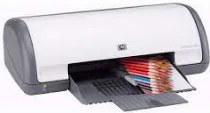
HP Deskjet D1560 Driver Download
- 7 drivers
- Supports Windows 10
- Windows · macOS · Linux
- ✓ Safe & free
The HP Deskjet D1560 is a compact printer designed for personal use, boasting thermal Inkjet printing technology that produces high-quality prints. As part of the D1500 series, this printer is versatile and reliable. It is compatible with both Windows and Mac OS, ensuring that it can meet the needs of a diverse range of users. One of the standout features of the HP Deskjet D1560 is its manual duplex printing option. This allows users to print on both sides of the paper, reducing paper waste and saving money on printing costs. This feature is particularly useful for those who frequently print documents for school, work, or personal use. Overall, the HP Deskjet D1560 is an excellent choice for those looking for a reliable and versatile personal printer. Its thermal Inkjet printing technology produces high-quality prints, and its compatibility with both Windows and Mac OS makes it accessible to a wide range of users. Plus, with its manual duplex printing option, it is an eco-friendly choice that can save users money in the long run.
HP Deskjet D1560 Driver Downloads
| Driver | Operating System | Version | Size | Download |
|---|---|---|---|---|
| Full Feature Drivers Recommended | Windows 10Windows 8.1Windows 8 | — | 121.9 MB | Download |
| Full Feature Drivers | Windows 7 | — | 123.4 MB | Download |
| Full Feature Drivers | Windows VistaWindows XP | — | 82.6 MB | Download |
| Basic | Windows VistaWindows XP | — | 41.9 MB | Download |
| Printer | macOS | — | 23.6 MB | Download |
| Full Feature Drivers | macOS | — | 135 MB | Download |
| Full Feature Drivers | macOS | — | 121.6 MB | Download |
How to Install the HP Deskjet D1560 Driver
- Click the recommended driver package above and save the file to your PC.
- Open the downloaded file and follow the on-screen HP installer.
- Connect the Deskjet D1560 by USB or network when prompted.
- Finish and print a test page to confirm the driver works.