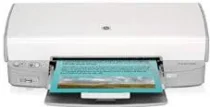
HP Deskjet D4160 Driver Download
- 8 drivers
- Supports Windows 10
- Windows · macOS · Linux
- ✓ Safe & free
Printer Basic Outstanding features1. Enhance your CD and DVD collection with country-specific tattoos, offering personalized high-quality printing. Experience a new level of customization with our state-of-the-art technology.2. Our Ink-backup mode ensures that printing never stops, even when one cartridge runs out of ink. Keep your work flowing and never miss a beat.3. The HP Photosmart software allows you to print from multiple devices, including your digital camera, external card reader, or USB flash drive, all connected through the USB port. Never be limited by your printing options again.4. With our uniquely formulated HP Vivera Inks, you can achieve pure, high-quality, and fade-resistant prints. Our scientific approach to ink technology ensures that your prints will stand the test of time.5. Take your photos and brochures to the next level with borderless printing. Enjoy the special touch of quality that comes with using different paper sizes to create stunning, professional-looking prints.6. Create panoramic pages with or without borders, using our innovative technology. Experience the full potential of your printer and bring your projects to life.
HP Deskjet D4160 Driver Downloads
| Driver | Operating System | Version | Size | Download |
|---|---|---|---|---|
| Full Feature Drivers Recommended | Windows 10Windows 8.1Windows 8 | — | 151.5 MB | Download |
| Full Feature Drivers | Windows 7 | — | 201.6 MB | Download |
| Full Drivers | Windows Vista | — | 96 MB | Download |
| Basic | Windows Vista | — | 24.2 MB | Download |
| Full Drivers | Windows XP | — | 405.4 MB | Download |
| Basic | Windows XP | — | 65.6 MB | Download |
| Printer | macOS | — | 38.8 MB | Download |
| Full Feature Drivers | macOS | — | 133.3 MB | Download |
How to Install the HP Deskjet D4160 Driver
- Click the recommended driver package above and save the file to your PC.
- Open the downloaded file and follow the on-screen HP installer.
- Connect the Deskjet D4160 by USB or network when prompted.
- Finish and print a test page to confirm the driver works.