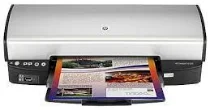
HP Deskjet D4268 Driver Download
- 8 drivers
- Supports Windows 10
- Windows · macOS · Linux
- ✓ Safe & free
The HP Deskjet D4268 printer is a member of the HP Deskjet D4260 printer series, which includes the HP Deskjet D4260 and HP Deskjet D4263 printer models. This printer model boasts several impressive features, such as borderless printing for full-page photos and brochures. Additionally, it supports six-ink upgradeable printing, which improves the quality of prints when using compatible cartridges. Furthermore, the HP Deskjet D4268 printer has an ink-backup mode that allows for continuous printing with only one print cartridge when other cartridges run out of ink. This feature ensures that you can continue printing with ease without any interruptions. Overall, the HP Deskjet D4268 printer is an excellent choice for those who require high-quality printing capabilities and convenience. Its impressive features make it a great investment for both personal and professional use.HP Deskjet D4268.
HP Deskjet D4268 Driver Downloads
| Driver | Operating System | Version | Size | Download |
|---|---|---|---|---|
| Full Feature Drivers Recommended | Windows 10Windows 8.1Windows 8 | — | 113.4 MB | Download |
| Full Feature Drivers | Windows 7 | — | 136.7 MB | Download |
| Full Feature Drivers | Windows VistaWindows XP | — | 75.6 MB | Download |
| Basic | Windows VistaWindows XP | — | 36.1 MB | Download |
| Basic Driver IT Professional Use Only | Windows VistaWindows XP | — | 35.3 MB | Download |
| Printer | macOS | — | 23.6 MB | Download |
| Full Feature Drivers | macOS | — | 135 MB | Download |
| Full Feature Drivers | macOS | — | 123.2 MB | Download |
How to Install the HP Deskjet D4268 Driver
- Click the recommended driver package above and save the file to your PC.
- Open the downloaded file and follow the on-screen HP installer.
- Connect the Deskjet D4268 by USB or network when prompted.
- Finish and print a test page to confirm the driver works.