HP Deskjet D4363 Driver Download
- 7 drivers
- Supports Windows 10
- Windows · macOS · Linux
- ✓ Safe & free
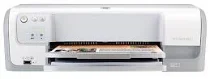
The HP Deskjet D4363 printer model is a member of the HP Deskjet D4360 printer series, which also features the HP Deskjet D4360 and HP Deskjet D4368 models. This printer has a height of 148 mm or 5.83 inches, a width of 444 mm or 17.5 inches, and a depth of approximately 480 mm or 18.9 inches. It has a net weight of 3.462 kg or 7.635 lbs without the cartridges. The HP Deskjet D4363 printer is a compact and lightweight device suitable for home or small office use. Its physical dimensions make it easy to place on a desk or shelf without taking up too much space. This printer is designed to offer reliable and efficient performance, delivering crisp and clear prints every time. The HP Deskjet D4363 printer model features advanced printing technology that ensures high-quality prints with sharp and vibrant colors. It uses HP Thermal Inkjet technology and can print up to 30 pages per minute in black and white and 23 pages per minute in color. This printer is also equipped with a range of features that make it easy to use and maintain, such as automatic two-sided printing and an easy-to-replace cartridge system. Overall, the HP Deskjet D4363 printer is a versatile and reliable device that offers excellent value for money. Its compact size and lightweight design make it an ideal choice for home or small office use, while its advanced features ensure high-quality prints every time.
HP Deskjet D4363 Driver Downloads
| Driver | Operating System | Version | Size | Download |
|---|---|---|---|---|
| Full Feature Drivers Recommended | Windows 10Windows 8.1Windows 8 | — | 103.1 MB | Download |
| Full Feature Drivers | Windows 7 | — | 126.5 MB | Download |
| Full Feature Drivers | Windows VistaWindows XP | — | 85.7 MB | Download |
| Basic | Windows VistaWindows XP | — | 47 MB | Download |
| Printer | macOS | — | 23.6 MB | Download |
| Full Feature Drivers | macOS | — | 135 MB | Download |
| Full Feature Drivers | macOS | — | 136.5 MB | Download |
How to Install the HP Deskjet D4363 Driver
- Click the recommended driver package above and save the file to your PC.
- Open the downloaded file and follow the on-screen HP installer.
- Connect the Deskjet D4363 by USB or network when prompted.
- Finish and print a test page to confirm the driver works.