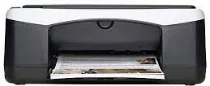
HP Deskjet F2140 Driver Download
- 8 drivers
- Supports Windows 10
- Windows · macOS · Linux
- ✓ Safe & free
The HP Deskjet F2140 printer model is a part of the F2100 all-in-one printer series. This machine is designed to work optimally in a temperature range of 15 to 300C under normal conditions. However, the operating temperature can extend from 10 to 350C, providing a wider range of usability. During non-operating or storage procedures, the recommended relative humidity for this device is between -2 and 350C. Within the operation, the relative humidity should be maintained at 15 to 80%, without any condensation. It is important to note that these temperature and humidity ranges can affect the performance and longevity of the printer. Therefore, it is advisable to store and use the printer within the recommended ranges to avoid any potential issues.
HP Deskjet F2140 Driver Downloads
| Driver | Operating System | Version | Size | Download |
|---|---|---|---|---|
| Full Feature Drivers Recommended | Windows 10Windows 8.1Windows 8 | — | 218.9 MB | Download |
| Full Feature Drivers | Windows 7 | — | 245.7 MB | Download |
| Full Feature Drivers | Windows VistaWindows XP | — | 162.9 MB | Download |
| Basic | Windows VistaWindows XP | — | 35 MB | Download |
| Multi Function Basic | Windows VistaWindows XP | — | 50.8 MB | Download |
| Printer | macOS | — | 23.6 MB | Download |
| Full Feature Drivers | macOS | — | 135 MB | Download |
| Full Feature Drivers | macOS | — | 181.1 MB | Download |
How to Install the HP Deskjet F2140 Driver
- Click the recommended driver package above and save the file to your PC.
- Open the downloaded file and follow the on-screen HP installer.
- Connect the Deskjet F2140 by USB or network when prompted.
- Finish and print a test page to confirm the driver works.