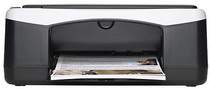
HP Deskjet F2179 Driver Download
- 8 drivers
- Supports Windows 10
- Windows · macOS · Linux
- ✓ Safe & free
In this article, we present a comprehensive guide on the HP Deskjet F2179 driver and software. It is essential to choose the right driver that is compatible with your operating system to ensure optimal performance. So, take a look at our detailed instructions and select the appropriate driver for your system.Get your hands on the HP Deskjet F2179 All-in-One printer driver downloads for Microsoft Windows 32-bit and 64-bit, as well as the Macintosh Operating System. This printer boasts a range of features, including automatic document feeding and borderless printing, making it ideal for both personal and professional use. With the latest driver downloads, you can ensure that your printer is operating at peak performance, delivering high-quality prints consistently. Whether you're printing documents, photos, or graphics, the HP Deskjet F2179 All-in-One printer is an excellent choice for all your printing needs. Download the drivers now and experience the full potential of this exceptional printer!.
HP Deskjet F2179 Driver Downloads
| Driver | Operating System | Version | Size | Download |
|---|---|---|---|---|
| Full Feature Driver Recommended | Windows 10Windows 8.1Windows 8 | — | 218.9 MB | Download |
| Full Feature Driver | Windows 7 | — | 245.7 MB | Download |
| Full Feature Driver | Windows VistaWindows XP | — | 162.9 MB | Download |
| Basic | Windows VistaWindows XP | — | 35 MB | Download |
| Multi Function Basic | Windows VistaWindows XP | — | 50.8 MB | Download |
| macOS | — | 23.6 MB | Download | |
| Full Feature Drivers | macOS | — | 135 MB | Download |
| Full Feature Drivers | macOS | — | 181.1 MB | Download |
How to Install the HP Deskjet F2179 Driver
- Click the recommended driver package above and save the file to your PC.
- Open the downloaded file and follow the on-screen HP installer.
- Connect the Deskjet F2179 by USB or network when prompted.
- Finish and print a test page to confirm the driver works.