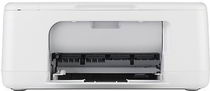
HP Deskjet F2210 Driver Download
- 7 drivers
- Supports Windows 10
- Windows · macOS · Linux
- ✓ Safe & free
The HP Deskjet 2210 serves as the ultimate solution for all your domestic or home office printing requirements. This printing device not only costs less than most of its counterparts but also delivers superior quality outputs. The Deskjet 2210 is a multifunctional printer that can perform printing, scanning, and copying tasks with ease. One of its key features is that it is an ENERGY STAR qualified product which makes it an eco-friendly and energy-saving option. With its advanced printing technology, the HP Deskjet 2210 produces high-quality prints in less time. Its scanning and copying features also offer excellent results, making it an all-in-one printing solution. Furthermore, its energy-saving capabilities make it an ideal choice for those who are environmentally conscious. Overall, the HP Deskjet 2210 is a cost-effective and versatile printer that can cater to all your printing needs. It comes packed with features that make it an excellent investment for your home or home office. So, if you're looking for a reliable and affordable printing device, the HP Deskjet 2210 is the answer to your needs.
HP Deskjet F2210 Driver Downloads
| Driver | Operating System | Version | Size | Download |
|---|---|---|---|---|
| Full Feature Drivers Recommended | Windows 10Windows 8.1Windows 8 | — | 177.1 MB | Download |
| Full Feature Drivers | Windows 7 | — | 183.7 MB | Download |
| Full Feature Drivers | Windows VistaWindows XP | — | 134.9 MB | Download |
| Basic | Windows VistaWindows XP | — | 38.6 MB | Download |
| Printer | macOS | — | 23.6 MB | Download |
| Full Feature Drivers | macOS | — | 135 MB | Download |
| Full Feature Drivers | macOS | — | 167.2 MB | Download |
How to Install the HP Deskjet F2210 Driver
- Click the recommended driver package above and save the file to your PC.
- Open the downloaded file and follow the on-screen HP installer.
- Connect the Deskjet F2210 by USB or network when prompted.
- Finish and print a test page to confirm the driver works.