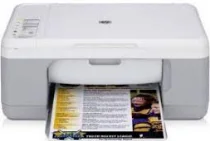
HP Deskjet F325 Driver Download
- 10 drivers
- Supports Windows 10
- Windows · macOS · Linux
- ✓ Safe & free
The HP Deskjet F325 is part of the HP Deskjet F300 printer series, renowned for its impressive features catering to both personal and business use. One of its standout capabilities is its compatibility with various Windows operating systems, such as Windows 98, 98 SE, 2000 Professional Service Pack 3, or newer versions. However, it's worth noting that the HP Deskjet F325 driver is also compatible with Mac OS X v10.3 and 10.4. It's important for users to be aware that each of these OS versions has specific minimum requirements for installation.HP Deskjet F325 All-in-One cartridges are an essential component for the efficient functioning of your printer. These cartridges are specifically designed to work with the HP Deskjet F325 All-in-One printer and provide quality prints with crisp text and vibrant colors. These cartridges come in both black and color variants, allowing you to print both text and images with ease. The black cartridge uses pigmented ink, which provides sharp, smudge-resistant text, while the color cartridge uses dye-based ink, which produces vivid, lifelike colors. The HP Deskjet F325 All-in-One cartridges utilize advanced inkjet technology, which delivers superior print quality and ensures that your prints are clear and consistent. These cartridges are easy to install and replace, requiring minimal effort on your part. With a page yield of up to 190 pages for the black cartridge and up to 165 pages for the color cartridge, these cartridges provide excellent value for money. They are also environmentally friendly, as they are made from recycled materials and can be recycled after use. Investing in high-quality cartridges such as the HP Deskjet F325 All-in-One cartridges will ensure that your printer continues to produce high-quality prints and lasts longer, saving you both time and money in the long run.The HP21 Black Inkjet Print Cartridge is designed to deliver high-quality, professional-looking documents with its impressive page yield of approximately 190 pages. For those seeking a cartridge that can produce vivid and vibrant colors, the HP 22 Tri-color Original Ink Cartridge is the perfect choice, with a yield of approximately 165 pages. And for those who want to print exceptional photos, the HP 58 Photo Inkjet Print Cartridge boasts a yield of approximately 140 pages and is specially designed to produce stunning, lifelike images with accurate colors and sharp details. These cartridges are all original HP products, ensuring top-notch performance and compatibility with your printer. Upgrade your printing experience today with these exceptional ink cartridges.
HP Deskjet F325 Driver Downloads
| Driver | Operating System | Version | Size | Download |
|---|---|---|---|---|
| Full Feature Drivers Recommended | Windows 10Windows 8.1Windows 8 | — | 326.2 MB | Download |
| Full Feature Drivers | Windows 7 | — | 362.7 MB | Download |
| Full Feature Drivers | Windows Vista | — | 163.3 MB | Download |
| Full Feature Drivers | Windows XP | — | 449 MB | Download |
| Basic Drivers and Software Express Only | Windows XP | — | 358.9 MB | Download |
| Basic Drivers | Windows XP | — | 63.1 MB | Download |
| Basic Drivers | Windows XP | — | 45.5 MB | Download |
| Printer | macOS | — | 18.6 MB | Download |
| Full Feature Drivers | macOS | — | 131.1 MB | Download |
| Full Feature Drivers | macOS | — | 182.6 MB | Download |
How to Install the HP Deskjet F325 Driver
- Click the recommended driver package above and save the file to your PC.
- Open the downloaded file and follow the on-screen HP installer.
- Connect the Deskjet F325 by USB or network when prompted.
- Finish and print a test page to confirm the driver works.