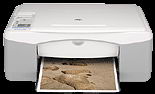
HP Deskjet F380 Driver Download
- 10 drivers
- Supports Windows 10
- Windows · macOS · Linux
- ✓ Safe & free
The HP Deskjet F380 printer is a top-tier product from the renowned technology brand. This printer is designed for light-duty purposes, making it perfect for home or home office use. The user-friendly interface ensures that anyone can operate the printer with ease, saving valuable time and resources. Once unpacked, the printer is ready for use, making it a hassle-free addition to your workspace. What sets the Deskjet F380 apart is its remarkable speed of scanning and copying, outperforming other printers in its class. Additionally, it is compatible with almost all the latest and older versions of Windows, making it a versatile choice for any user. Whether you're printing important documents or scanning family photos, the Deskjet F380 delivers exceptional results every time. Upgrade your printing and scanning experience with the HP Deskjet F380 printer today.
HP Deskjet F380 Driver Downloads
| Driver | Operating System | Version | Size | Download |
|---|---|---|---|---|
| Full Feature Drivers Recommended | Windows 10Windows 8.1Windows 8 | — | 326.2 MB | Download |
| Full Feature Drivers | Windows 7 | — | 362.7 MB | Download |
| Full Feature Drivers | Windows Vista | — | 163.3 MB | Download |
| Full Feature Drivers | Windows XP | — | 507 MB | Download |
| Full Feature Drivers | Windows XP | — | 449 MB | Download |
| Basic Drivers | Windows XP | — | 63.1 MB | Download |
| Basic Drivers | Windows XP | — | 45.5 MB | Download |
| Printer | macOS | — | 18.6 MB | Download |
| Full Feature Drivers | macOS | — | 131.1 MB | Download |
| Full Feature Drivers | macOS | — | 182.6 MB | Download |
How to Install the HP Deskjet F380 Driver
- Click the recommended driver package above and save the file to your PC.
- Open the downloaded file and follow the on-screen HP installer.
- Connect the Deskjet F380 by USB or network when prompted.
- Finish and print a test page to confirm the driver works.