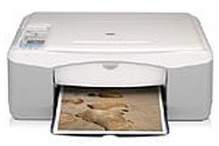
HP Deskjet F388 Driver Download
- 6 drivers
- Supports Windows 10
- Windows · macOS · Linux
- ✓ Safe & free
The HP Deskjet F388 is a versatile all-in-one printer that allows for effortless printing, scanning, and copying of documents. Ideal for both personal and commercial use, this device utilizes the Lightweight Imaging Device Interface Language and drop-on-demand thermal inkjet printing method to produce high-quality color documents. With its exceptional features, the HP Deskjet F388 is an excellent choice for those who require a multifunctional printer. Its compact design and user-friendly interface make it easy to operate. The device's printing capabilities are second to none, allowing for fast and efficient printing of documents. The drop-on-demand thermal inkjet printing method ensures that the printer produces sharp and precise prints every time. This technology uses thermal energy to heat the ink and then applies it to the paper in droplets. This process results in high-quality prints that are resistant to fading and smudging. In summary, the HP Deskjet F388 is a reliable and efficient printer that can handle all of your printing, scanning, and copying needs. Its exceptional features and advanced printing technology make it an excellent choice for both personal and commercial use. Get yours today and enjoy high-quality prints every time!.
HP Deskjet F388 Driver Downloads
| Driver | Operating System | Version | Size | Download |
|---|---|---|---|---|
| Full Feature Drivers Recommended | Windows 10Windows 8.1Windows 8 | — | 326.2 MB | Download |
| Full Feature Drivers | Windows 7 | — | 362.7 MB | Download |
| Full Feature Drivers | Windows Vista | — | 163.3 MB | Download |
| macOS | — | 18.6 MB | Download | |
| Full Feature Drivers | macOS | — | 131.1 MB | Download |
| Full Feature Drivers | macOS | — | 182.6 MB | Download |
How to Install the HP Deskjet F388 Driver
- Click the recommended driver package above and save the file to your PC.
- Open the downloaded file and follow the on-screen HP installer.
- Connect the Deskjet F388 by USB or network when prompted.
- Finish and print a test page to confirm the driver works.