HP DeskJet F4100 Driver Download
- 4 drivers
- Supports Windows 10
- Windows · macOS · Linux
- ✓ Safe & free
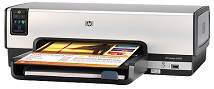
The HP Deskjet F4100 is an all-in-one printer that boasts the ability to print, copy, and scan documents. This versatile device is perfect for both personal and commercial use, thanks to its sleek design and portable build. To use the HP Deskjet F4100, you'll need to have a CD-ROM or DVD-ROM drive, as well as Adobe Acrobat Reader 5 or a newer version installed on your computer. Additionally, the printer is compatible with Microsoft Internet Explorer 6 or newer. If you're using a Windows or Mac OS, you're in luck - the HP DeskJet F4100 driver supports both operating systems. With its impressive features and compatibility, the HP Deskjet F4100 is a great choice for anyone in need of a high-quality all-in-one printer.HP DeskJet F4100 Printer Drivers.
HP DeskJet F4100 Driver Downloads
| Driver | Operating System | Version | Size | Download |
|---|---|---|---|---|
| full feature driver Recommended | Windows 10Windows 8.1Windows 8 | — | 218.9 MB | Download |
| full feature driver | Windows 7 | — | 245.7 MB | Download |
| full feature driver | macOS | — | 135 MB | Download |
| macOS | — | 23.6 MB | Download |
How to Install the HP DeskJet F4100 Driver
- Click the recommended driver package above and save the file to your PC.
- Open the downloaded file and follow the on-screen HP installer.
- Connect the DeskJet F4100 by USB or network when prompted.
- Finish and print a test page to confirm the driver works.