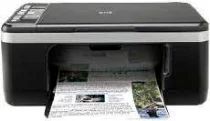
HP Deskjet F4185 Driver Download
- 8 drivers
- Supports Windows 10
- Windows · macOS · Linux
- ✓ Safe & free
The printer is a compact, sleek device that is often seen in a professional work setting, available in a sophisticated black finish. However, this device is versatile and can also be used for personal use at home. Prior to installing the driver for this printer, it is essential to have a CD-ROM/DVD-ROM and Adobe Acrobat Reader on hand. The HP Deskjet F4185 driver is compatible with a range of operating systems, including Windows 2000, XP, Vista, and Seven, as well as MacOS X v10.3 or newer versions.The HP Deskjet F4185 All-in-One cartridges are an essential component for your printing needs. These cartridges are designed to deliver exceptional quality prints with every use. With their advanced ink formulations and state-of-the-art technology, you can expect vibrant, long-lasting prints that resist fading and smudging. These cartridges also feature a high yield capacity, which means you can print more pages with fewer cartridge replacements. This not only saves you money but also reduces your environmental impact by reducing the amount of waste generated. The HP Deskjet F4185 All-in-One cartridges are available in a range of colors and sizes to suit your specific printing needs. Whether you need to print documents, photos, or graphics, there is a cartridge that will meet your requirements. Experience the difference that the HP Deskjet F4185 All-in-One cartridges can make to your printing today. Order yours now and enjoy high-quality prints that exceed your expectations.The HP21 Black Inkjet Print Cartridge (~190 pages), HP 22 Tri-color Original Ink Cartridge (~165 pages), HP 57 Tri-color Inkjet Print Cartridge (~500 pages) and HP 58 Photo Inkjet Print Cartridge (~140 pages) are all essential components for high-quality printing. Each cartridge is designed to produce accurate, vibrant colors and sharp, clear text, ensuring that your documents and images look their best every time. The HP21 Black Inkjet Print Cartridge is perfect for printing documents with crisp, clean text. With a yield of approximately 190 pages, this cartridge is ideal for home and office use. The HP 22 Tri-color Original Ink Cartridge is designed to produce bright, vivid colors for a wide range of printing needs. With a yield of approximately 165 pages, this cartridge is perfect for printing photos, brochures, and other color documents. For those who need to print large volumes of color documents, the HP 57 Tri-color Inkjet Print Cartridge is an excellent choice. With a yield of approximately 500 pages, this cartridge is perfect for printing reports, presentations, and other professional documents. Finally, the HP 58 Photo Inkjet Print Cartridge is designed specifically for printing high-quality photos. With a yield of approximately 140 pages, this cartridge produces stunning, true-to-life images that are perfect for framing or sharing with friends and family. No matter what your printing needs may be, these HP ink cartridges are sure to deliver outstanding results every time. So why wait? Start printing with confidence today!.
HP Deskjet F4185 Driver Downloads
| Driver | Operating System | Version | Size | Download |
|---|---|---|---|---|
| Full Feature Drivers Recommended | Windows 10Windows 8.1Windows 8 | — | 218.9 MB | Download |
| Full Feature Drivers | Windows 7 | — | 245.7 MB | Download |
| Full Feature Drivers | Windows VistaWindows XP | — | 162.9 MB | Download |
| Basic | Windows VistaWindows XP | — | 35 MB | Download |
| Multi Function Basic | Windows VistaWindows XP | — | 50.8 MB | Download |
| Printer | macOS | — | 23.6 MB | Download |
| Full Feature Drivers | macOS | — | 135 MB | Download |
| Full Feature Drivers | macOS | — | 182.2 MB | Download |
How to Install the HP Deskjet F4185 Driver
- Click the recommended driver package above and save the file to your PC.
- Open the downloaded file and follow the on-screen HP installer.
- Connect the Deskjet F4185 by USB or network when prompted.
- Finish and print a test page to confirm the driver works.