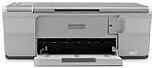
HP Deskjet F4235 Driver Download
- 6 drivers
- Supports Windows 10
- Windows · macOS · Linux
- ✓ Safe & free
The HP Deskjet F4235 stands out as a distinctive addition to the HP Deskjet F4200 printer series, boasting multifunctional capabilities that include high-quality printing, copying, and document scanning. What sets this model apart is its exclusive identifier number, CB659A. This identification number sets it apart from other models, making it easier to differentiate and identify.HP Deskjet F4235 All-in-One cartridges are a crucial component for the smooth functioning of your printer. These cartridges contain ink that is essential for printing documents, images, and other materials. It is important to ensure that you use the right cartridges for your printer model to avoid compatibility issues and potential damage to your device. At times, it can be confusing to choose the right cartridges for your printer, especially with the different types available in the market. The HP Deskjet F4235 All-in-One cartridges come in various types, including standard, high-yield, and combo packs. Standard cartridges are ideal for regular printing needs, while high-yield cartridges are suitable for users who print frequently or in large volumes. Combo packs are a great option for users who need to replace multiple cartridges at once. When purchasing cartridges, it is essential to consider the type of ink used. Pigment-based inks are commonly used for printing text and graphics, while dye-based inks are ideal for printing high-quality photos and images. It is important to note that using the wrong type of ink can result in poor print quality and damage to your printer. Proper maintenance of your printer is also crucial to ensure the longevity of your cartridges. Regular cleaning of your printer's printhead and ensuring that it is free from dust and debris can prevent clogging and prolong the lifespan of your cartridges. In conclusion, choosing the right HP Deskjet F4235 All-in-One cartridges and proper maintenance of your printer are essential for optimal performance and longevity of your device. With the right cartridges and care, you can enjoy high-quality prints and avoid costly repairs.HP60 Black Ink Cartridge (~200 pages), HP 60 Tri-color Ink Cartridge Cartridge (~165 pages).
HP Deskjet F4235 Driver Downloads
| Driver | Operating System | Version | Size | Download |
|---|---|---|---|---|
| Full Feature Drivers Recommended | Windows 10Windows 8.1Windows 8 | — | 179.5 MB | Download |
| Full Feature Drivers | Windows 7 | — | 204.5 MB | Download |
| Full Feature Drivers | Windows VistaWindows XP | — | 133.9 MB | Download |
| Basic | Windows VistaWindows XP | — | 36.6 MB | Download |
| Full Feature Drivers | macOS | — | 135 MB | Download |
| Full Feature Drivers | macOS | — | 167.5 MB | Download |
How to Install the HP Deskjet F4235 Driver
- Click the recommended driver package above and save the file to your PC.
- Open the downloaded file and follow the on-screen HP installer.
- Connect the Deskjet F4235 by USB or network when prompted.
- Finish and print a test page to confirm the driver works.