HP Deskjet F4272 Driver Download
- 6 drivers
- Supports Windows 10
- Windows · macOS · Linux
- ✓ Safe & free
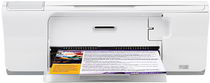
The HP Deskjet F4272 printer is the perfect solution for all your home printing needs. This versatile printer is equipped with an easy-to-use installation procedure, making it ready for use in no time. With a lightning-fast print speed of 26 pages per minute, the HP Deskjet F4272 printer can easily handle all your printing demands. It can print a single page in as little as 28 seconds, ensuring that you never have to wait long for your documents. In addition, the HP Deskjet F4272 printer is equipped with a convenient LED ink level indicator located on the front of the printer. This feature allows you to easily monitor your ink levels and avoid running out of ink in the middle of an important print job. Overall, the HP Deskjet F4272 printer is a reliable and easy-to-use device that is perfect for all your home printing needs. With its fast print speed and handy ink level indicator, this printer is sure to exceed your expectations.
HP Deskjet F4272 Driver Downloads
| Driver | Operating System | Version | Size | Download |
|---|---|---|---|---|
| Full Feature Drivers Recommended | Windows 10Windows 8.1Windows 8 | — | 179.5 MB | Download |
| Full Feature Drivers | Windows 7 | — | 204.5 MB | Download |
| Full Feature Drivers | Windows VistaWindows XP | — | 133.9 MB | Download |
| Basic | Windows VistaWindows XP | — | 36.6 MB | Download |
| Full Feature Drivers | macOS | — | 135 MB | Download |
| Full Feature Drivers | macOS | — | 167.5 MB | Download |
How to Install the HP Deskjet F4272 Driver
- Click the recommended driver package above and save the file to your PC.
- Open the downloaded file and follow the on-screen HP installer.
- Connect the Deskjet F4272 by USB or network when prompted.
- Finish and print a test page to confirm the driver works.