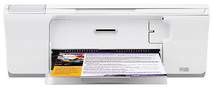
HP Deskjet F4275 Driver Download
- 6 drivers
- Supports Windows 10
- Windows · macOS · Linux
- ✓ Safe & free
Looking for an all-in-one printer but not sure which one to choose? Look no further than the HP Deskjet F4275. This device boasts exceptional functionality and features, making it the perfect addition to any home office setup. One of the standout features of this printer is its ability to handle a wide range of paper media with ease. Whether you need to print on custom size paper, plain paper, index cards, envelopes, photo paper, or any other type, the HP Deskjet F4275 has got you covered. Plus, it supports both border and borderless printing, giving you even more flexibility when it comes to your printing needs. So why settle for a basic printer when you can have a smart and sophisticated device like the HP Deskjet F4275? Upgrade your home office setup today with this top-of-the-line all-in-one printer.
HP Deskjet F4275 Driver Downloads
| Driver | Operating System | Version | Size | Download |
|---|---|---|---|---|
| Full Feature Driver Recommended | Windows 10Windows 8.1Windows 8 | — | 179.5 MB | Download |
| Full Feature Driver | Windows 7 | — | 204.5 MB | Download |
| Full Feature Driver | Windows VistaWindows XP | — | 133.9 MB | Download |
| Basic Drivers | Windows VistaWindows XP | — | 36.6 MB | Download |
| Full Feature Drivers | macOS | — | 135 MB | Download |
| Full Feature Drivers | macOS | — | 167.5 MB | Download |
How to Install the HP Deskjet F4275 Driver
- Click the recommended driver package above and save the file to your PC.
- Open the downloaded file and follow the on-screen HP installer.
- Connect the Deskjet F4275 by USB or network when prompted.
- Finish and print a test page to confirm the driver works.