HP Deskjet F4280 Driver Download
- 6 drivers
- Supports Windows 10
- Windows · macOS · Linux
- ✓ Safe & free
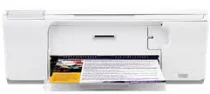
The HP Deskjet F4280 printer is a member of the Deskjet F4200 series, representing one of the pioneering models of its class. Its dimensions stand at approximately 6.36 inches in height and 17.22 inches in width, with a depth of 11.43 inches and a weight of 10.8 lbs. Compatible cartridges and replacement options can be easily sourced from the HP store or local retailers.HP Deskjet F4280 All-in-One cartridges are an essential component of your printing needs. These cartridges are specifically designed for the HP Deskjet F4280 All-in-One printer, ensuring optimal performance and longevity. The cartridges utilize advanced technology to deliver high-quality prints with crisp text and vibrant colors. They are available in both black and color options, allowing you to choose the cartridge that best suits your printing needs. When it comes to replacing your cartridges, it is important to choose genuine HP cartridges to ensure compatibility and avoid potential damage to your printer. Genuine HP cartridges are rigorously tested to meet strict quality standards and provide reliable performance. In addition to their performance benefits, HP Deskjet F4280 All-in-One cartridges are also environmentally friendly. HP offers a free recycling program for used cartridges, helping to reduce waste and protect the environment. Investing in high-quality cartridges is crucial to achieving the best possible printing results. With HP Deskjet F4280 All-in-One cartridges, you can trust in the quality and performance of your prints, every time.HP60 Black Ink Cartridge (~200 pages), HP 60 Tri-color Ink Cartridge Cartridge (~165 pages).
HP Deskjet F4280 Driver Downloads
| Driver | Operating System | Version | Size | Download |
|---|---|---|---|---|
| Full Feature Drivers Recommended | Windows 10Windows 8.1Windows 8 | — | 179.5 MB | Download |
| Full Feature Drivers | Windows 7 | — | 204.5 MB | Download |
| Full Feature Drivers | Windows VistaWindows XP | — | 133.9 MB | Download |
| Basic | Windows VistaWindows XP | — | 36.6 MB | Download |
| Full Feature Drivers | macOS | — | 135 MB | Download |
| Full Feature Drivers | macOS | — | 167.5 MB | Download |
How to Install the HP Deskjet F4280 Driver
- Click the recommended driver package above and save the file to your PC.
- Open the downloaded file and follow the on-screen HP installer.
- Connect the Deskjet F4280 by USB or network when prompted.
- Finish and print a test page to confirm the driver works.